
Battery life
10 h
Battery life
The Galaxy Tab S9 WiFi is aimed at buyers who want an 11-inch Android tablet that feels quick for streaming, browsing, note-taking and light desk work without drifting into laptop territory. Its strongest pull is the combination of a Dynamic AMOLED 2X panel, the included S Pen and Samsung’s familiar Android software, all wrapped in a slim 128 GB slate with 8 GB RAM. The main trade-off is that the most useful extras are concentrated in the experience rather than the box contents, so the value case depends on how much you care about the screen, the pen and the tablet itself.
Buy it if you want a premium media-and-productivity tablet that can handle reading, video, app switching and handwritten notes with very little fuss. Skip it if you need a clearly laptop-like package with a charger in the box, a headphone jack or a device that is obviously built around a keyboard-first workflow. For most people in this price band, the Tab S9’s appeal is not raw novelty but the way the display, pen and speed line up for everyday use.
| Screen size | 11 Inches |
|---|---|
| RAM | 8 GB |
| Storage | 128 GB |
| Display resolution maximum | 2560x1600 |
| Battery life | 10 Hours |
| Operating system | Android |
The 11-inch Dynamic AMOLED 2X panel with a maximum resolution of 2560x1600 and 120 Hz refresh gives the Tab S9 its strongest everyday advantage. It is the kind of screen that makes text look crisp, dark scenes look properly deep and scrolling feel calm rather than busy.
That matters because tablets live or die by comfort. If you spend time reading, streaming or flipping between apps, this display does a lot of the work before you even think about performance. The only real caveat is that this is a premium screen-led tablet, so the value question is less about raw hardware and more about whether you will use that quality often enough to justify it.
The included S Pen is one of the clearest reasons this model stands apart from a plain media tablet. It attaches magnetically, charges when docked and is built to be used for handwriting, marking up content and quick navigation.
That changes the buying decision for study, meetings and light creative work. It is not a keyboard replacement, but it does make the Tab S9 easier to live with if you write on-screen often. The trade-off is simple enough: if you will not use a stylus, you are paying for a feature that sits idle.
Samsung pairs the tablet with an Armour Aluminum frame, IP68 resistance and a slim 11-inch body, which makes it easier to carry than larger Android slates. The confirmed 10-hour battery life fits that portable shape well, and the 128 GB storage gives a sensible starting point for mixed media and app use.
This matters most when the tablet moves between rooms, bags and desks. It feels like a device meant to be handled regularly rather than kept on a stand. The limitation is that 128 GB is fine for many buyers but not generous if you keep lots of large games, downloads or offline video, so heavy media hoarders will want to think about storage pressure early.
The review pattern points to easy setup, quick app migration and strong sound, which fits the Tab S9’s role as a polished daily tablet rather than a fiddly gadget. The lack of a headphone jack is part of the modern Samsung package, but the wireless audio route is straightforward enough for most people.
That combination matters because tablets are often judged as much by friction as by headline specs. If you want something that feels ready for streaming, browsing and light work without much adjustment, this is a strong match. The trade-off is that buyers who still prefer wired headphones or a charger bundled in the box will find the package less generous than the hardware itself.
For sofa use, reading and streaming, the Tab S9 lands in the sweet spot that matters most to tablet buyers. The 11-inch 16:10 screen gives enough room for video and split-screen browsing without becoming awkward to hold, and the 2560x1600 panel works out at roughly 276 pixels per inch, which is a strong density for sharp text and clean image detail. That makes it an easy tablet to settle into for films, magazines and web pages, with the AMOLED contrast doing the heavy lifting on dark scenes and photos.
At a desk, the balance of 8 GB RAM, Android and the Snapdragon 8 Gen 2 for Galaxy platform keeps the day-to-day flow in the comfortable zone for app switching, messaging, documents and note-taking. The practical upside is that it behaves like a tablet that respects multitasking rather than one that merely tolerates it. The limitation is that this is still a tablet route, not a full desktop replacement route, so the keyboard-and-mouse story only becomes compelling if your work is genuinely light.
Battery and portability sit in the same conversation here, because the confirmed 10-hour battery life and slim 11-inch format make it a sensible carry-around device for commuting, lectures or travel days. The S Pen included in the box adds real utility for quick notes and marking up documents, and the IP68-rated body plus Armour Aluminum frame give it a sturdier feel than many casual slates. The trade-off is that the most convenient accessories are not the same as a complete productivity bundle, so this suits buyers who value a polished tablet first and a mini workstation second.
Community
The pattern is clear enough: people are won over by the screen, speed, S Pen and slim feel, while the main grumble is the pared-back box and a few missing old-school conveniences. The practical lesson is that this tablet feels most rewarding when you value the device itself and its daily use, not when you expect a fully accessorised bundle.
This is my third Samsung Galaxy tab and definitely the best one so far, it has far exceeded my expectations.
The graphics is noticeably sharp and clear, and the S Pen is fun to use for writing to text and scrolling.
The screen is absolutely stunning and the overall performance is blistering.
No charger but has a long USB C cable, bonus to have stylus included.
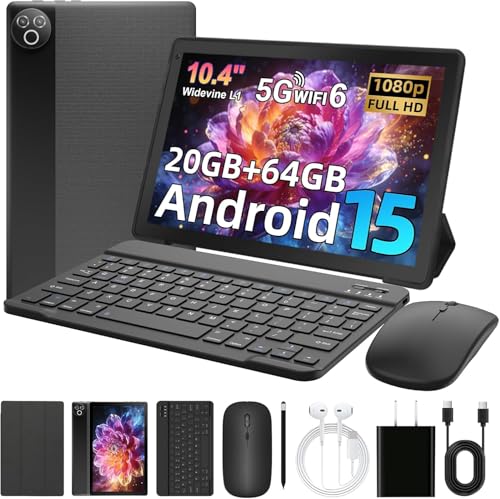
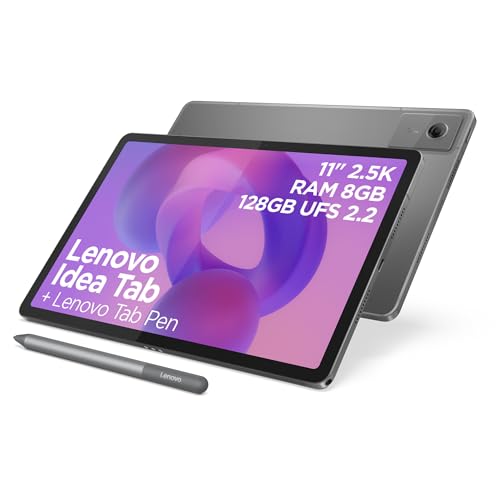
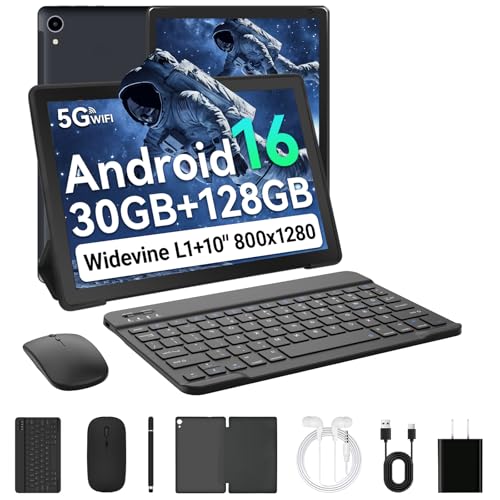
| Attribute | Samsung Galaxy Tab S9 WiFi Current | MUISOO Android 15 Tablet 10.4 inch | TABWEE T90 Tablet Tabwee | Lenovo Idea Tab 11" 2.5K |
|---|---|---|---|---|
| Price | £697.99 | - | Out of stock | £158.99 |
| Screen size | 11 Inches | 10.4 inch | 11 inches | 11 Inches |
| Display resolution maximum | 2560x1600 | 800 x 1332 pixels | 1920x1200 pixels | 2560x1600 Pixels |
| RAM | 8 GB | 20 GB | 24 GB | 8 GB |
| Storage | 128 GB | 64 GB | 128 GB with up to 2 TB microSD expansion | 128 GB |
| Battery life | 10 Hours | 5000 mAh | 8000 mAh | - |
| Editorial score | 8.4/10 | 6.2/10 | 7.2/10 | 8.4/10 |
Against the Samsung Tab A9+, the Tab S9 is the clearer premium choice. Both sit in the 11-inch space, but the Tab S9’s AMOLED panel, included S Pen and stronger performance make it the better pick for buyers who care about screen quality and note-taking. The Tab A9+ route makes more sense if you want a simpler Samsung tablet and do not need the extra polish or pen-first feel.
Compared with the XIAOMI Pad 8 Pro, the Tab S9 is less about chasing the newest headline chipset and more about offering a mature Samsung package with IP68 resistance, S Pen support and a well-judged 11-inch format. The Xiaomi route looks more performance-led on paper, while the Tab S9 is the easier recommendation for buyers who want a balanced tablet for media, study and light productivity rather than a spec-first alternative.
Compare with
Add a second model to activate the direct comparison.



No products match that filter combination.
Buy the Samsung Galaxy Tab S9 WiFi if you want a premium 11-inch Android tablet for streaming, reading, note-taking and light desk work, and you care more about the quality of the screen and the feel of the device than about getting a fully bundled package. It is the right choice for buyers who will actually use the included S Pen, appreciate the smooth everyday performance and want a tablet that feels polished straight out of the box, even if they still need to add a charger and possibly a case.
Skip it if you want the cheapest route into Samsung tablets, need a headphone jack, or expect a keyboard-first device that can stand in for a laptop. The trade-off that most changes the decision is the pared-back box: the Samsung Galaxy Tab S9 WiFi is strongest when you value the tablet itself, but its 128 GB storage and missing charger make it less convincing for heavy offline media users or anyone who wants a more complete all-in-one purchase.
It is strongest as a media-first tablet that also handles notes and light productivity well, especially because the S Pen is included and the screen is excellent.
Yes, at minimum many buyers will want to factor in a charger and possibly a case, because the tablet arrives with the pen but not a wall charger.
Review updated on
