
Freeski UKA10L02 Tablet - Review and opinions

RAM
Quick verdict
The Freeski UKA10L02 is aimed at anyone who wants a low-cost 10-inch Android tablet with the full starter bundle in the box: keyboard, mouse, case, stylus, charger and wired earphones. Its appeal is obvious if you want one device for browsing, streaming, light document work and family use without paying laptop money. The clearest trade-off is that the accessory-heavy package looks stronger for value than for outright stamina, because battery life is the part that divides opinion most sharply.
My quick verdict is simple: buy this if you want an affordable everyday tablet that can double as a mini desk device for emails, homework and casual typing. Skip it if your priority is dependable all-day battery life, loud built-in audio or a clearly premium long-term device. This is a budget-friendly bundle first, and it makes most sense when the keyboard, case and expandable storage matter more to you than raw performance or endurance.
| Screen size | 10 inches |
|---|---|
| Resolution | 1280 x 800 pixels |
| Chipset | Penta-Core processor up to 2.0 GHz |
| RAM | 24 GB |
| Storage | 64 GB |
| Connectivity | WiFi 6 and Bluetooth 5.4 |
Accessory bundle that changes the value equation
The included keyboard, mouse, case, stylus, charger and wired earphones give this tablet a stronger out-of-box proposition than many budget rivals.
That matters because the purchase works as a complete starter setup for study, light office tasks and casual home use. If you were already planning to buy accessories separately, this bundle does real work in the value calculation, even if the peripherals are still in the budget class.
Screen and format for everyday media
A 10-inch 16:10 display at 1280 x 800 is tuned more for affordable comfort than for premium sharpness.
In practice, that means video, browsing and simple reading are pleasant enough, and the extra vertical space helps with websites and documents. If you care about pin-sharp text for long reading sessions or more detailed creative work, this is where the low price shows.
Storage flexibility and light productivity route
The 64 GB internal storage is modest but workable, and the microSD expansion up to 1 TB gives the tablet a more useful second life for downloaded films, school files and spare app space.
Combined with the keyboard support, that makes it easier to place this model in a student or casual work routine. The catch is that the productivity story is strongest for writing, browsing and admin, not for demanding apps that need a more clearly class-leading processor or display.
Performance and experience
On the sofa or at the kitchen table, this tablet lands in a familiar budget 10-inch comfort zone. The 16:10 screen shape gives you a bit more vertical room for web pages and documents than a video-first widescreen panel, and 1280 x 800 on a 10-inch display works out at roughly 150 ppi, which is good enough for streaming, browsing and reading without looking especially crisp up close. For films, catch-up TV and YouTube, that balance makes sense. For dense small text or lots of split-screen work, you will notice the limits sooner than on a sharper panel.
Move it onto a desk with the bundled keyboard and mouse, and the Freeski starts to make more sense as a light productivity tablet than as a pure media slate. Typing documents, replying to emails and working in Google Docs are the kind of jobs it suits best, especially with 64 GB of storage and microSD expansion up to 1 TB for offline files. The package matters here: you are not buying just a screen, you are buying a ready-to-use setup that can cover schoolwork, forms, notes and basic admin without extra accessory shopping. The trade-off is that this still behaves like a tablet with extras, not a true laptop replacement for heavier multitasking.
Daily use is where the mixed battery story becomes important. For short sessions of browsing, messaging, video calls and casual streaming, the combination of Android, WiFi 6 and the modest-resolution screen keeps the experience in the easy everyday lane. Stretch that into longer seminars, travel days or extended streaming away from a socket, and this is where the compromise shows up. If your routine involves long uninterrupted use, keeping the charger nearby stops being optional and becomes part of the setup.
The final thing you are likely to notice is that the extras add convenience faster than the cameras or speakers add excitement. The 5 MP front camera and 8 MP rear camera are enough for video calls and quick snaps, while the dual speakers cover basic listening. That is useful, but not the reason to choose this model. The real attraction is getting a complete starter kit around a straightforward Android tablet that is easy to set up and easy to hand to a beginner.
Pros
- Generous bundle with keyboard, mouse, case and other useful extras
- Easy setup and approachable for beginners
- Good value for basic browsing, streaming and light document work
- Expandable storage up to 1 TB adds flexibility.
Cons
- Battery life is too inconsistent for buyers who need reliable all-day use
- Built-in speaker volume can be underwhelming for TV and films
- Screen resolution is serviceable rather than sharp
- Not the clearest choice if you need a truly laptop-like productivity device.
Community
User reviews
The overall pattern is easy to read: people like the smooth everyday performance, simple setup, bright screen and generous accessory pack, while the main disappointment is battery consistency. The practical lesson is that this tablet wins as a budget bundle for basic tasks, not as a worry-free all-day machine.
I found it quick and simple to set up even as a beginner, and the keyboard connected easily. My only issue is that the battery drops faster when I am browsing online.
I was impressed by how complete the package felt with the keyboard, pen, mouse, charger and earphones. It ran smoothly for browsing, videos and documents, and the setup was easy.
I bought it for long seminar days and liked the keyboard, mouse, easy setup and decent screen, but the battery did not last as long as I wanted and I ended up needing the charger.
I bought this as a birthday present for my daughter, but mine was defective and not working, so I wanted to return it.
Comparison
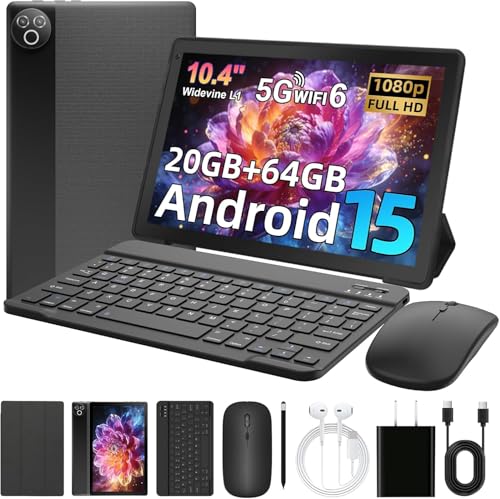
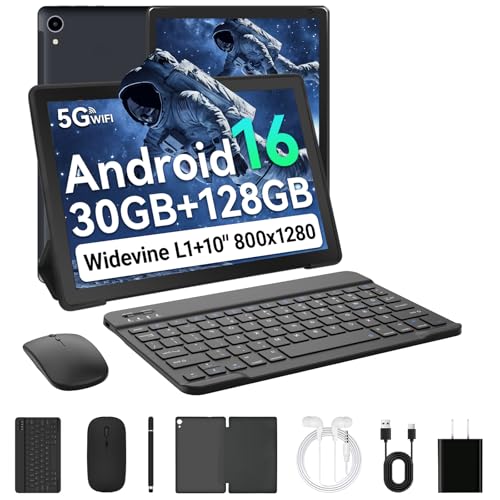
| Attribute | Freeski UKA10L02 Current | MUISOO Android 15 Tablet 10.4 inch | Whitedeer X108 | TABWEE T60 Pro |
|---|---|---|---|---|
| Price | Out of stock | - | £94.99 | Out of stock |
| Screen size | 10 inches | 10.4 inch | 10.1 inches | 13.4 inches |
| Resolution | 1280 x 800 pixels | 800 x 1332 pixels | 1280 x 800 | 1920 x 1200 pixels |
| RAM | 24 GB | 20 GB | 30GB (6GB physical + 24GB expansion) | 24 GB |
| Storage | 64 GB | 64 GB | 128GB, expandable up to 2TB via microSD | 256 GB |
| Chipset | Penta-Core processor up to 2.0 GHz | Penta-core processor up to 1.8 GHz | - | 2.2GHz octa-core processor |
| Editorial score | 5.6/10 | 6.2/10 | 6.0/10 | 7.0/10 |
Against the PRITOM M10 TF 512GB, the Freeski takes the more practical everyday route for home use and light work. Both sit in the 10-inch, 1280 x 800 class, but the PRITOM is known here with a quad-core chip and 2 GB of RAM, while the Freeski is positioned much more aggressively on memory, bundled accessories and a mini-laptop style setup. Choose the Freeski if you want the keyboard-and-mouse route and a fuller starter package. Choose the PRITOM only if your priorities sit elsewhere, because on the known points alone it looks less convincing for multitasking.
Against the ZZB ZB10+CASE, the decision is narrower. The ZZB also gives you a 10.1-inch 1280 x 800 format, but its known memory figure is 6 GB including extended memory, which again leaves the Freeski with the stronger headline spec story and the more ambitious bundle. The reason to hesitate is not the spec list but the day-to-day compromise: if battery stability and dependable long-session use matter more than getting lots of extras in the box, this Freeski stops being the obvious pick. In other words, it is the better value bundle, but not automatically the safer long-day tablet.
Compare with Compare this model This product stays fixed; add a recommended alternative or search another model in the category.
Compare with
Add a second model to activate the direct comparison.
Recommended models



No products match that filter combination.
Is the Freeski UKA10L02 tablet worth it?
The Freeski UKA10L02 makes its strongest case as a budget 10-inch Android tablet for people who want everything in one box and do not need premium polish. The screen, easy setup, expandable storage, WiFi 6 and bundled accessories all push it towards good value for basic home use, study and light admin. If the current offer keeps it in the low-cost bracket, it is an easy model to shortlist for first-time tablet buyers and casual users.
FAQ
Is this tablet mainly for media or for work?
It is best for mixed everyday use, with enough screen space for streaming and browsing plus a bundled keyboard and mouse that make light document work much easier.
Is the keyboard support enough to replace a laptop?
For emails, schoolwork, forms and simple documents, yes. For heavier multitasking or long unplugged workdays, it is better treated as a tablet with useful extras than a full laptop substitute.
Review published on