Storage
256 GB
Storage
The XIAOMI Pad 8 Pro is aimed at the person who wants one tablet to cover evening streaming, fast everyday apps and a fair amount of desk work without stepping into full laptop money. Its strongest pull is the mix of a high-end Snapdragon platform, a sharp 11.2-inch 3.2K 144Hz display and a slim 485g metal body, while the clearest trade-off is that the charger is not included and the wider productivity pitch depends on how much you are willing to add around it.
I’d put this in the camp for buyers who want a premium Android tablet that feels quick, looks crisp and can stretch from sofa use to light office duty. It is less convincing for anyone expecting a complete work bundle out of the box, because the fast charging is advertised but the charger is missing, and the laptop-replacement angle makes most sense only if your routine is still tablet-friendly rather than keyboard-first all day.
| Screen size | 11.2 inches |
|---|---|
| Resolution | 2560 x 1600 pixels |
| Chipset | Snapdragon 8 Elite Mobile Platform |
| RAM | 8 GB |
| Storage | 256 GB |
| Battery | 9200mAh |
The 11.2-inch 3.2K screen and 144Hz refresh rate are the most immediately noticeable parts of the package.
You are getting a panel sharp enough for reading, presentations and high-quality streaming, with smoother motion in scrolling and supported games than a basic 60Hz tablet.\n\nThat matters because display quality shapes nearly every hour you spend with a tablet. Here, the caveat is format rather than clarity: the 16:9 aspect ratio is excellent for video, but less natural for those who mainly want a digital notebook feel for long reading sessions.
At 5.75mm thick and 485g, this is built to feel premium without becoming awkward to carry from room to room or in a bag.
The full-metal unibody also gives it a more serious, durable impression than cheaper plastic alternatives.\n\nThe practical payoff is simple: it is easier to keep using a tablet that does not feel cumbersome after twenty minutes. The flip side is that thin tablets often push you towards buying a case quickly, which adds cost and slightly softens the elegance.
The Snapdragon 8 Elite platform is the reason this model sits above ordinary browsing tablets. It is aimed at people who want fast app launches, heavier multitasking and more confidence with demanding games or media work than entry-level Android tablets usually offer.\n\nThat buying consequence is important.
If you only stream, browse and read, you can spend less. If you want one tablet that stays responsive while doing more than one thing at once, this model earns its place more convincingly. For a Pad 8 Pro review, the Xiaomi Pad 8 Pro feels especially strong for everyday speed, and the Xiaomi 8 Pad Pro is a convincing pick when you want a premium Android tablet that can handle more demanding titles.
A 9200mAh battery is a strong fit for a tablet that is supposed to cover travel, entertainment and work in the same day.
Paired with 67W charging support, it avoids the slow-top-up frustration that still affects many tablets.\n\nThe catch is straightforward: the charger is not included. For some buyers that is a minor annoyance, but for anyone starting from scratch it is an extra purchase that should be factored into the overall value. That also means the safer buying focus is on the charging setup you will actually use.
Set up as a lounge-and-travel tablet, the Pad 8 Pro makes immediate sense. An 11.2-inch panel in a body that is 5.75mm thick and 485g is the kind of balance that stays comfortable in the hands longer than many larger slates, and the 16:9 format leans naturally towards films, YouTube and gaming. With 2560 x 1600 resolution at this size, pixel density lands at roughly 270ppi, so text and video should look clean enough that you notice the sharpness before you notice the panel itself. The trade-off is that this shape is more cinema-friendly than paper-like, so heavy document reading still feels more screen-wide than notebook-like. In the Pad 8 Pro review sense, the Xiaomi Pad 8 Pro is really about how well the Xiaomi Pad 8 Pro balances media comfort with a premium feel.
Move it onto a desk with several apps open and this is where the stronger chipset matters. The Snapdragon 8 Elite platform and 8GB RAM put it comfortably above the level of a basic family tablet, so browser tabs, messaging, media and note apps fit the brief without the whole device feeling strained. The 144Hz refresh rate also helps the tablet feel more immediate in scrolling and navigation, which is one of those details you notice every few minutes rather than once in a benchmark chart. If your work means documents, web tools and split-screen use, it fits; if your day depends on desktop-class software and accessory certainty, the route becomes less straightforward. That is why the Xiaomi 8 Pad Pro reads as a capable all-rounder rather than a full desktop replacement.
For longer days away from a plug, the 9200mAh battery is a real part of the appeal. In mixed use such as streaming, browsing and general app hopping, this is the sort of capacity that supports an all-day tablet role rather than a short-session one, and the 67W charging claim keeps the recovery time practical once you have a compatible charger. That last part matters, because the box leaves you to supply your own charger, so the first-week experience is smoother if you already own suitable USB-C charging gear. If you are asking whether the Pad 8 Pro review points to a travel-friendly tablet, the answer is yes, especially for the Xiaomi Pad 8 Pro buyer who values convenience over accessory bundles.
There is also a more ambitious side to this tablet than the slim body suggests. Hyper OS, cross-device features and reports of external display mirroring and docking support push it beyond pure media duty, and that can be genuinely useful for hotel-desk work, presentations or a compact home setup. I would still treat it as a strong tablet with productivity potential, not as a blanket laptop substitute. That distinction matters, because it is excellent when your tasks suit Android multitasking, but less persuasive if your purchase only makes sense with guaranteed accessory depth and a full desktop workflow. For the Pad 8 Pro review reader, the Xiaomi Pad 8 Pro is best understood as a premium tablet first and a light work device second.
Community
The feedback pattern is easy to read: people are buying this for speed, display quality and an overall premium feel, and the strongest praise comes from those using it as more than a simple media slab. The main irritation is not the tablet’s behaviour so much as purchase value and accessories around it.
I found it a real beast and very powerful.
I am satisfied with the tablet, but I found it around 100 euros cheaper elsewhere.
I use it for multimedia and mixing, the processor and display feel very strong, and it stays reliable without missing a beat.
I think it is very good for the price, the processor is strong, storage feels fast, and I can connect a docking station and an external display in mirror mode.
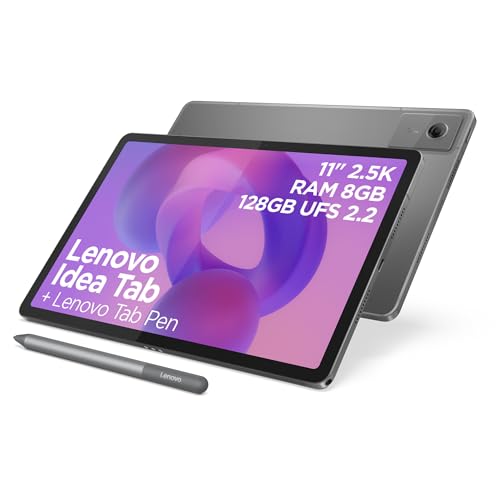
| Attribute | XIAOMI Pad 8 Pro Current | Lenovo Tab Plus | SVITOO P11 | TABWEE T90 |
|---|---|---|---|---|
| Screen size | 11.2 inches | 11.5 Inches | 11 inches | 11 inches |
| Resolution | 2560 x 1600 pixels | 2000x1200 Pixels | 1280 x 800 | 1920x1200 pixels |
| RAM | 8 GB | 8 GB | 20 GB | 24 GB |
| Storage | 256 GB | 128 GB | 128 GB | 128 GB with up to 2 TB microSD expansion |
| Battery | 9200mAh | - | - | 8000 mAh |
| Chipset | Snapdragon 8 Elite Mobile Platform | - | T7250 octa-core 2.0 GHz | T615 octa-core |
| Editorial score | 9.1/10 | 7.2/10 | 6.9/10 | 7.2/10 |
Against the TABWEE T60 Pro, the Xiaomi takes the more premium route rather than the bigger-and-cheaper route. The TABWEE gives you a larger 13.4-inch screen and more quoted RAM, but its 1920 x 1200 resolution and generic 2.2GHz octa-core positioning place it in a more value-led class. Choose the Xiaomi if display sharpness, fluidity and flagship-level responsiveness matter more than simply getting the biggest panel for the money. Choose the TABWEE if your priority is screen area and lighter-duty home use.
Against the Samsung Tab A9+, the Xiaomi is the more ambitious tablet. Both can cover everyday Android duties, but the Xiaomi brings a sharper 2560 x 1600 display, higher 144Hz refresh and a much more performance-led pitch, while the Samsung’s 11-inch 1920 x 1200 and 128GB setup suit a simpler, lower-pressure role. Pick the Xiaomi if you want a tablet that can credibly stretch into gaming, heavier multitasking and longer ownership satisfaction. Pick the Tab A9+ if you mainly want browsing, streaming and casual family use without paying for power you may never use.
Compare with
Add a second model to activate the direct comparison.
No products match that filter combination.
The XIAOMI Pad 8 Pro is at its best when you want one polished Android tablet that feels fast, looks sharp and stays comfortable across streaming, browsing, gaming and mixed daily tasks. The combination of Snapdragon 8 Elite power, a 144Hz 3.2K-class display, 256GB storage and a slim metal build gives it a genuinely premium shape, and it makes the strongest case for buyers who want more than a basic entertainment slate. If the current offer is competitive, it is one of the more compelling upper-mid to premium Android tablet routes in this size.
Skip it if your whole purchase depends on a complete out-of-box work setup or if you mainly want a cheaper screen for casual use. The missing charger, accessory dependence and video-first aspect ratio are real limits, and in those cases a simpler tablet or a more clearly work-led alternative makes more sense. For the right buyer, though, this is a fast, attractive and convincingly capable tablet rather than a spec-sheet showpiece.
It is best as a premium media tablet with light-to-serious productivity potential, especially for multitasking, documents and split-screen work rather than full laptop replacement.
Yes, because this model advertises 67W charging, so you only get the full convenience if you already own or plan to buy a compatible charger.
Review published on