
Price
£50-£100
Price
Can a low-cost tablet bundle cover study basics without becoming a frustrating laptop substitute? The M10’s strongest case is practical: it includes a Bluetooth keyboard, mouse, case and stylus, alongside 128 GB of storage and a microSD slot for cards up to 1 TB. That makes it a more complete starting setup than a bare tablet, but the mouse needs separate batteries and reports of lag and unreliable input make it a risky choice for work that depends on smooth, dependable control.
Choose it for browsing, streaming, revision and occasional typing when the included accessories matter more than polished performance. Skip it if you need reliable handwriting, a dependable mouse or long battery life away from a charger; the bundle saves assembling a setup, but does not make this a confident laptop replacement.
| Screen size | 10 inches |
|---|---|
| Resolution | 1280 x 800 |
| Chipset | Octa-core |
| RAM | 6 GB installed, with 18 GB memory expansion stated |
| Storage | 128 GB |
| Battery | 8000 mAh |
| Operating system | Android 15 |
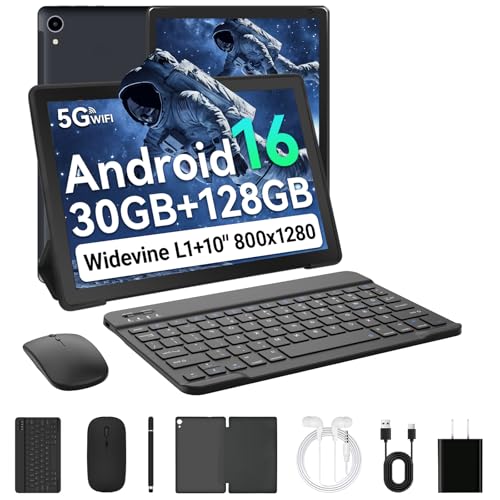
The keyboard, mouse, case, stylus, charger and USB-C cable are included, and the case folds into a stand.
That gives occasional typing and desk use a ready-made route, but the mouse needs two AAA batteries, which are not supplied.
The 10-inch IPS panel has a 1280 x 800 resolution and an eye-health mode that filters blue light.
It is a reasonable size for reading and video, though the resolution is modest for dense text or detailed creative work.
The 128 GB internal storage is backed by a microSD slot supporting cards up to 1 TB, sold separately.
That helps if you keep films, school files or apps on the tablet, but does not improve the speed of app loading.
The included stylus and mouse broaden the bundle, but reports of unreliable mouse operation and poor small handwriting make them hard to treat as dependable work tools.
Battery experiences also vary, so regular use away from a charger is a less convincing fit.
For a sofa session of streaming, browsing or reading, the 10-inch IPS screen gives you a useful shared view without moving up to a larger, less convenient format. Its 1280 x 800 resolution works out at 160 pixels per inch across the stated 10-inch diagonal, so text and video are suited to everyday viewing rather than fine-detail work. Two speakers are included, and one owner describes the audio and picture as good; this is a sensible home-media role, not a high-resolution display showcase.
At a desk, the keyboard and case make a quick switch from tablet browsing to typing plausible, and the case folds into a stand. The keyboard is rechargeable over USB-C, while the mouse takes two AAA batteries that are not supplied, so the bundle is not fully ready for mouse use straight away. More importantly, reports of a mouse that does not work and a stylus that misses small writing make this a poor fit for anyone whose revision routine depends on accurate handwritten notes or reliable pointer control.
For everyday app use, Android 15, an octa-core processor and 6 GB of installed RAM set a basic-use proposition; the advertised 24 GB includes 18 GB of memory expansion, not 24 GB of installed RAM. One owner found Google, YouTube and the app store worked, but also reported lag and slow app downloads. That combination suits a modest browsing and study workload better than frequent app switching or demanding productivity. The 128 GB storage and microSD expansion up to 1 TB give room for downloaded media and files, with the card sold separately.
Battery life is the clearest compromise for a tablet meant to travel between home, school and study sessions. The capacity is stated as 8000 mAh, but the experience reported is mixed: one owner describes a long-lasting charge, while another calls battery life poor and reports fluctuating charging estimates. Treat it as a device for sessions near a charger rather than a dependable all-day companion.
Community
The appeal is the amount included for everyday use, while the recurring disappointments are uneven performance and battery life. The practical lesson is to value the accessories as convenient extras, not as a guarantee of reliable laptop-style input.
It’s fast and does what I need it to do.
Google, YouTube and the app store worked for me, but the mouse did not and the stylus struggled with small writing.
I found it cheap-looking and felt the quality matched.
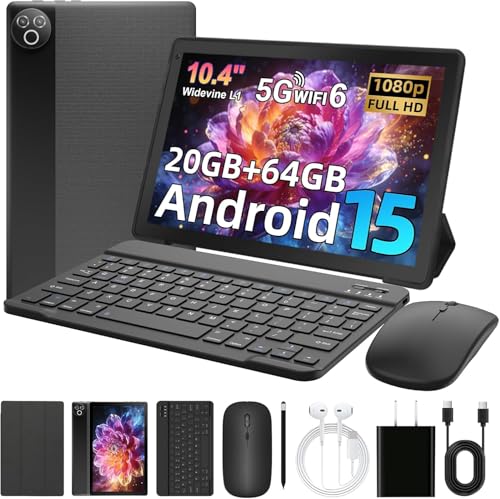
| Attribute | PRITOM M10 Current | MUISOO Android 15 Tablet 10.4 inch | Freeski UKA10L02 | TABWEE T60 Pro |
|---|---|---|---|---|
| Price | £67.99 | Out of stock | Out of stock | Out of stock |
| Screen size | 10 inches | 10.4 inch | 10 inches | 13.4 inches |
| Resolution | 1280 x 800 | 800 x 1332 pixels | 1280 x 800 pixels | 1920 x 1200 pixels |
| RAM | 6 GB installed, with 18 GB memory expansion stated | 20 GB | 24 GB | 24 GB |
| Storage | 128 GB | 64 GB | 64 GB | 256 GB |
| Battery | 8000 mAh | 5000 mAh | - | - |
| Editorial score | 6.2/10 | 6.2/10 | 5.6/10 | 7.0/10 |
Against the MUISOO KB10L, the M10 offers twice the stated internal storage, at 128 GB versus 64 GB, while both are listed with a 10-inch, 1280 x 800 screen and 24 GB RAM. Choose the PRITOM if storage and its included accessory bundle matter most; the MUISOO is the more direct alternative if the same screen size and resolution are enough and you prefer its stated memory configuration.
The SVITOO P11 offers an 11-inch screen at the same 1280 x 800 resolution, making it the more logical route if a larger viewing area matters more than compactness. The Raemond K30 is closer in format at 10.1 inches and shares the 1280 x 800 resolution, with 6 GB installed RAM and 18 GB stated through memory expansion. Choose the PRITOM for its 128 GB storage and included keyboard, mouse and stylus; choose between these alternatives by prioritising screen area or a closely matched display format over the M10’s bundle.
Compare with
Add a second model to activate the direct comparison.


No products match that filter combination.
The PRITOM M10 makes most sense as an affordable home or study tablet when 128 GB of storage, expandable capacity and a ready-made keyboard bundle are the draw. For streaming, browsing and occasional typing, its accessories add convenience; check the current offer against the cost of alternatives with more dependable input. Skip it if your work depends on the mouse, precise stylus notes or a battery that lasts reliably through a day away from a charger. Those are central parts of the bundle’s productivity pitch, and the reported friction makes a more dependable study tablet the safer choice.
The stylus is included, but reports of missed input and difficulty writing small text make it a weak choice for handwriting-heavy study.
It can handle occasional typing and basic browsing, but reported lag and mouse problems make it unsuitable when dependable input and smooth multitasking are essential.
Review published on
