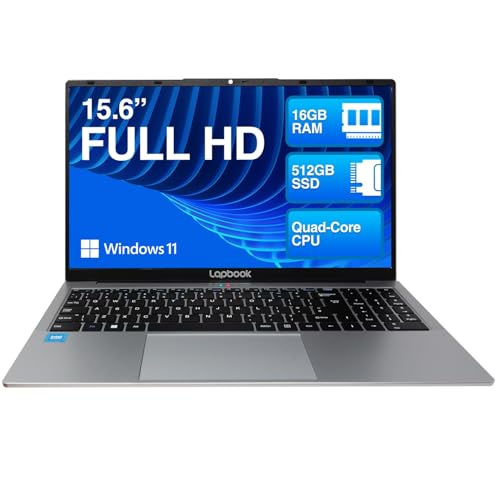
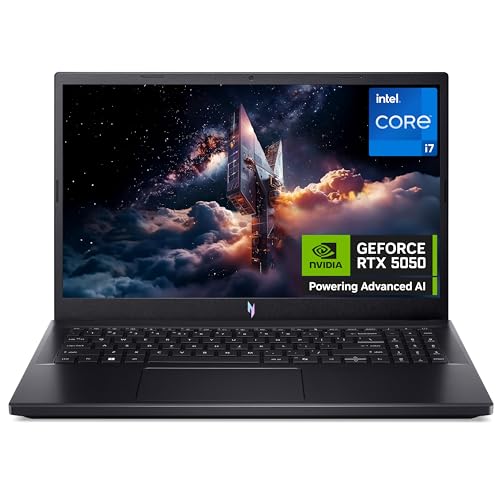
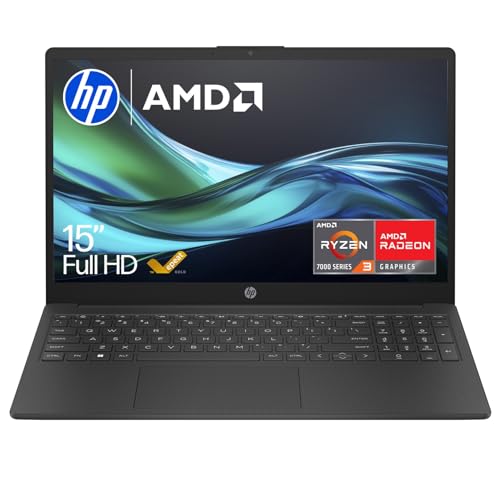
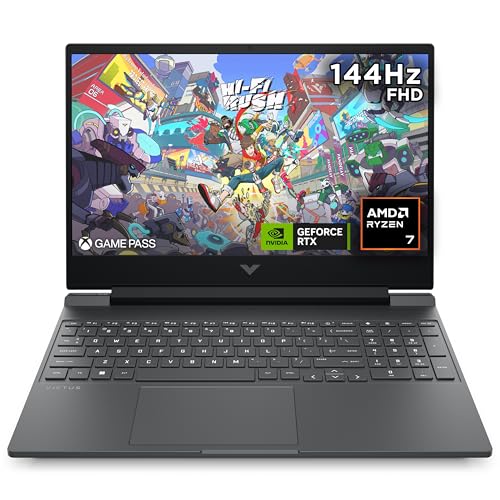
How we judge laptops
A good laptop is rarely the one with the loudest headline spec. For most buyers, the real question is how power, portability, screen comfort, keyboard quality, battery expectations, noise, ports and price work together in daily use. We translate core specs such as screen size, resolution, processor, RAM and storage into practical consequences for work, study, gaming, creative tasks and travel.
That also means we do not score every laptop by the same ideal. An ultrabook should be judged differently from a gaming machine, a creator laptop or a basic Chromebook-style option. The right choice depends on the buyer route: some people need low weight and clean all-day usability, while others should accept more bulk, fan noise or shorter battery life in exchange for stronger graphics or heavier workload headroom.
What we review in this category
For laptops we review documented evidence around mobility, display quality, daily usability, sustained performance, ports, price, and user feedback when the sample is useful.
Portability
Weight 19%. Weight, format, charger burden, and battery evidence decide whether the laptop is credible away from a fixed desk.
See technical evidence we review
Technical measures
- Weight in kg/lb, thickness, chassis size, charger burden, and screen diagonal.
- Battery capacity in Wh and runtime evidence when the source documents it.
- Charging format, USB-C charging, compact adapters, and travel friction.
Reading context
- A light chassis is read together with battery evidence, display size, and thermal expectations.
- Ultrabook, Chromebook, convertible, and gaming routes change what counts as truly portable.
Common cautions
- Battery claims without Wh or runtime figures are treated cautiously.
- Large gaming screens and heavy power bricks can limit mobility even when the laptop itself is thin.
Display comfort
Weight 20%. A laptop screen shapes reading, work, media, gaming, and study comfort, so size, resolution, panel, and refresh have to fit the route.
See technical evidence we review
Technical measures
- Screen size, resolution, pixel density, brightness in nits, refresh rate, panel type, and touch support.
- OLED, mini-LED, IPS, high-refresh, matte/glossy finish, and color-gamut evidence when available.
Reading context
- Display value depends on use: office readability, creator color work, gaming motion, or media contrast.
- Resolution is read with size; the same pixel count is not equally sharp on every diagonal.
Common cautions
- High refresh or OLED wording needs explicit panel evidence.
- A large display can improve workspace while weakening portability.
Input quality
Weight 15%. Keyboard, touchpad, webcam, layout, and setup details decide whether daily writing, calls, and desk use feel credible or quietly frustrating.
See technical evidence we review
Technical measures
- Keyboard layout, backlight, numpad, key travel references, touchpad size, webcam, microphones, speakers, and biometrics.
- Convertible/touch features, hinge format, and repeated daily interaction signals.
Reading context
- Daily usability weighs the parts touched every hour: typing, calls, gestures, login, and desk setup.
- Numpad, webcam, and touch features matter differently for office, study, and travel routes.
Common cautions
- Generic “comfortable keyboard” claims are weak without layout or feature evidence.
- A strong spec sheet does not compensate for poor input friction in daily work.
Sustained performance
Weight 28%. CPU, GPU, RAM, storage, and the buyer route must match the workload; basic chips, integrated graphics, or thin evidence should not score like gaming hardware.
See technical evidence we review
Technical measures
- CPU family and generation, GPU class, dedicated graphics, RAM capacity, storage capacity/type, and cooling-platform clues.
- Apple Silicon, Intel Core Ultra/Core, AMD Ryzen tiers, Nvidia/AMD GPU class, and workload route evidence.
Reading context
- Performance is interpreted by workload: office, study, coding, creator work, gaming, or basic Chromebook use.
- RAM and storage are read with CPU/GPU class, thermal format, and price position.
Common cautions
- CPU/RAM claims alone do not justify a high sustained-performance reading.
- Gaming or creator positioning requires GPU, platform, and cooling evidence, not only large memory numbers.
Battery and ports
Weight 18%. Ports, wireless, charging flexibility, and video outputs determine whether the laptop works cleanly across classes, meetings, and desk setups without adapter fatigue.
See technical evidence we review
Technical measures
- USB-C, USB4/Thunderbolt, HDMI, DisplayPort, Ethernet, SD reader, audio jack, Wi-Fi/Bluetooth generation, and charging ports.
- Docking, external-monitor support, adapter dependence, and wireless standard evidence.
Reading context
- Ports are read against the expected setup: desk dock, classroom, creator peripherals, or travel bag.
- A compact laptop can be excellent while still requiring adapters; that trade-off is kept visible.
Common cautions
- USB-C wording is not treated as Thunderbolt/USB4 unless explicitly documented.
- Sparse ports reduce setup convenience even on premium ultraportables.
Editorial judgement still leaves room for incomplete documentation, weak claims, or practical friction that a spec table does not fully capture.
What usually changes the recommendation
Comfort beats spec-sheet theatre
We put lived comfort ahead of isolated claims. A sharp display is only useful if it is comfortable for long reading and document work. A fast processor matters less if cooling, memory limits or noise get in the way. Thin designs can be excellent for commuting, but not if the port selection forces constant adapter use or the keyboard becomes cramped.
- Portability and build: weight, thickness, chassis quality and whether it feels realistic to carry every day.
- Display comfort: panel type, resolution, size, aspect and whether brightness or refresh claims actually improve long sessions.
- Keyboard and touchpad: whether writing, navigation and general desk use feel dependable rather than irritating over time.
- Sustained performance: whether the CPU and GPU route matches the intended workload, with enough RAM, storage and cooling to make it believable.
- Battery and ports: whether charging, USB-C, video outputs and general connectivity suit classes, travel, meetings and desk setups without dongle fatigue.
We also separate confirmed facts from sensible inferences. If a laptop is marketed as gaming, creator-focused or ultraportable, we look for enough evidence to support that route rather than forcing it into a label on branding alone.
How that looks in real use
From first login to the end of the day
We read each laptop through the moments that usually reveal whether it fits real life. The start of the day tells you a lot: wake-up speed, charging flexibility and whether limited ports or awkward setup already create friction. Then comes the longer stretch of writing, browsing and document work, where keyboard feel, touchpad usability and screen comfort matter more than marketing claims about peak performance.
Calls and media are another useful lens. A laptop should feel believable for video meetings, streaming and home use, not merely include a webcam and speakers on paper. Mobility matters too: weight, charger size and realistic unplugged expectations need to make sense together, especially for commuting, campus use or moving room to room. Finally, we consider the fixed-desk reality, where external display support, docking convenience and port mix often decide whether a machine fits neatly into everyday use.
Routes that change the judgement
Different laptop types deserve different trade-offs. Mobility and office work suits buyers who care most about carry weight, battery expectations and everyday responsiveness. Mainstream home and study is the route for balanced clamshells used for common apps, coursework and media. Gaming and performance only makes sense when GPU power, high refresh displays and cooling are central to the purchase. Creator or workstation should show convincing evidence in screen quality, memory, CPU or GPU headroom and workload fit, rather than borrowing the label loosely.
Common red flags are usually subtle rather than dramatic: unclear evidence for the laptop’s real buyer route, impressive-sounding specs that do not change day-to-day use, or missing compatibility details around ports, charging and external displays. Those gaps often matter more than a small difference in processor tier.
How to use this page
Use the listings and comparisons here to narrow by the route that matches your workload first, then compare the details that usually decide the shortlist: screen size, resolution, processor, RAM, storage, graphics, weight and ports. Filters such as ultrabook, dedicated GPU, OLED, high refresh, touchscreen, convertible 2-in-1 or USB4/Thunderbolt are most useful when they support a real buying need rather than just adding features for their own sake.
If you want a laptop that travels well, prioritise weight, charging flexibility and everyday comfort. If you need a home or study machine, look for balanced screen, keyboard and port choices. If gaming or creator work is the goal, make sure the performance route is backed by cooling, display fit and enough memory, not just a headline component.