Battery life
19 h
Battery life
The ASUS Vivobook 16 X1607QA CoPilot+ is aimed at the buyer who wants a roomy 16-inch Windows laptop for study, office work, streaming and everyday home use without paying premium ultrabook money. Its biggest appeal is the combination of a 16:10 WUXGA display, 16 GB RAM, 512 GB SSD and a Snapdragon X platform that prioritises battery life and day-to-day responsiveness, but the clear trade-off is software compatibility and workload confidence on ARM.
I’d put this in the sensible-buy camp for anyone who mainly lives in a browser, Office apps, video calls and media, and who likes the idea of long unplugged use with a larger screen. I’d skip it for anyone whose routine depends on older peripherals, niche Windows software or a guaranteed smooth run with every desktop app, because this machine makes most sense when battery life and general use matter more than broad compatibility.
| Screen size | 16.0 inches |
|---|---|
| Resolution | 1920 x 1200 |
| Processor | Qualcomm Snapdragon X1-26-100 |
| RAM | 16 GB |
| Storage | 512 GB PCIe SSD |
| Battery life | 19 hours |
| Battery life | Up to 19 hours |
The 16.0-inch WUXGA panel gives you 1920 x 1200 pixels in a 16:10 shape rather than the more cramped 16:9 layout common at this level.
That extra vertical space matters more than it sounds. Spreadsheets, documents and web pages breathe a bit better, and the same screen also suits films and catch-up viewing well if you want one machine for work and home use.
The Snapdragon X1-26-100 platform is the defining choice here. It brings the promise of strong battery life, quick wake-and-go behaviour and a cooler, more appliance-like style of everyday computing.
The trade-off is simple. If your routine is built around browsers, Office, media and common apps, it fits the brief well. If your laptop has to play nicely with older drivers, niche Windows tools or gaming libraries, this route gets awkward fast.
16 GB RAM and a 512 GB PCIe SSD are the right kind of baseline for a mainstream Windows laptop in 2026.
You are not immediately boxed into the sluggish feel that often comes with 8 GB machines, and there is enough storage for documents, apps and a sensible local media library. That does not turn it into a workstation, but it does mean the machine is easier to recommend for multi-tab browsing, school work and general household use over the next few years.
Open it for a normal workday of email, browser tabs, documents and messaging, and the basic shape of the machine makes sense quickly. The 16-inch panel with a 1920 x 1200 resolution gives you a 16:10 workspace, so you get a little more vertical room than a standard Full HD laptop, which helps when reading, writing and keeping two windows in view. With 16 GB RAM and an SSD, this configuration lands in the comfortable daily-use lane rather than the bargain-basement one, and that is exactly where it sounds strongest.
Move from desk work into films, YouTube or casual evening use, and the large clear screen becomes one of the main reasons to buy it. A 16-inch display at this resolution is not a creator-grade showpiece, but it is a more relaxed fit for streaming and general home use than a smaller 14-inch machine. Sound quality is described positively often enough to matter, and the overall impression is of a laptop that feels easy to live with when the task is watching, browsing or getting through routine admin rather than pushing heavy sustained workloads.
Take it away from the charger and this model’s strongest practical advantage comes into focus. Battery life is one of the most consistently praised parts of the package, and that changes how portable a 16-inch laptop feels in real life because room-to-room use, coffee-shop sessions and a day of classes or meetings become more realistic. The catch is that mobility here is about endurance rather than raw lightness, because this is still a larger clamshell built around screen comfort first.
The real buying tension appears when setup moves beyond mainstream apps and accessories. Microsoft Copilot+ is part of the appeal and there is a dedicated route into that experience, but the Snapdragon ARM platform can turn older printers, some specialist software and certain desktop habits into friction points. For web work, school tasks, coding in lighter tools and general productivity, it fits well; for anyone tied to legacy hardware, gaming, or software that expects a traditional x86 Windows laptop, it is the wrong kind of compromise.
Community
The overall pattern is easy to read. People tend to like the value, battery life, screen size and everyday speed, while the disappointments cluster around ARM compatibility, occasional reliability complaints and expectations that drift too close to performance-laptop territory.
I found it fast compared with my old ASUS, the screen is clear and the sound is good, but I hit trouble trying to connect an older Canon printer because of the ARM chip.
I’m very happy with it, the screen is a good size and clear for watching films, it feels sturdy and it handles everything I need.
For the price I think it is a great laptop with long battery life and responsive everyday use, but some software does not work well with ARM architecture.
I liked the battery life and thought the chassis was acceptable, but the performance felt poor in typing and browser use and it did not feel worth the money to me.
| Attribute | ASUS Vivobook 16 X1607QA CoPilot+ Current | Acer Aspire Go AG15-42P | ASUS Vivobook 15 M1502YA | Lenovo IdeaPad 1 15AMN7 |
|---|---|---|---|---|
| Price | £559.00 | £599.99 | Out of stock | £639.99 |
| Screen size | 16.0 inches | 15.6 Inches | 15.6 Inches | 15.6 Inches |
| Resolution | 1920 x 1200 | 1920 x 1080 pixels | 1920 x 1080 | 1920 x 1080 pixels |
| Processor | Qualcomm Snapdragon X1-26-100 | AMD Ryzen 5 5625U | AMD Ryzen 7 | Ryzen 5 7520U |
| RAM | 16 GB | 16 GB | 16 GB | 16 GB |
| Storage | 512 GB PCIe SSD | 512 GB | 512 GB PCIe SSD | 512 GB |
| Editorial score | 7.4/10 | 7.4/10 | 7.4/10 | 7.3/10 |
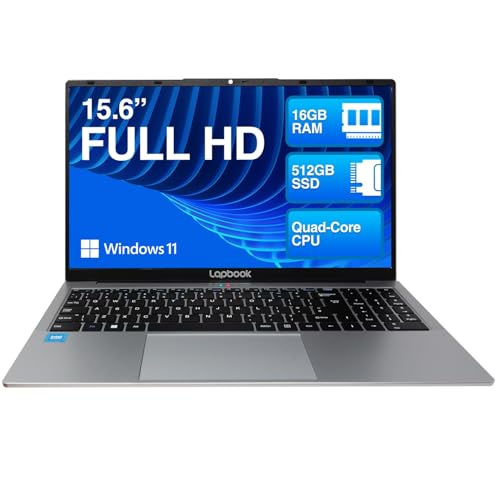
Against the Lapbook S15 N2 Intel 13th Gen, the ASUS is the more modern-feeling everyday machine if battery life and AI-led Windows features matter to you. Both give you 16 GB RAM, but the ASUS adds a larger 16-inch 1920 x 1200 screen instead of 15.6-inch 1920 x 1080, which is better for documents and multitasking. The Lapbook route makes more sense only if you want a very basic Intel setup and care less about endurance or the newer Copilot+ angle.
Against the ASUS Vivobook M1502YA, the decision is more about platform than brand. The M1502YA’s Ryzen 7 route is the safer choice for broader software compatibility and a more traditional Windows experience, while this Vivobook 16 fights back with stronger battery-life appeal and a roomier 16:10 display. Compared with the Lenovo IdeaPad Slim 3 14IAN8, the ASUS is plainly the better-equipped machine for mainstream use thanks to 16 GB RAM instead of 4 GB and a larger screen, but the Lenovo remains the easier pick if you want a smaller, simpler budget laptop and can accept much tighter performance headroom.
Compare with
Add a second model to activate the direct comparison.




No products match that filter combination.
Buy the ASUS Vivobook 16 X1607QA CoPilot+ if you want a roomy everyday Windows laptop for study, office work, streaming and general home use, and you value battery life and a comfortable 16:10 screen more than raw platform flexibility. It makes the most sense for buyers who live in browsers, Office, video calls and common apps, because the configuration is sensible and the day-to-day experience is built around easy, low-fuss use rather than chasing performance headlines.
Skip it if your setup depends on older printers, specialist Windows software, awkward peripherals or anything that needs broad x86 compatibility without compromise. The trade-off that changes the decision most is the Snapdragon ARM platform: it is the reason this laptop can feel efficient and long-lasting, but it is also the reason some buyers will run into friction, so choose it only if that compatibility risk is acceptable and the larger screen and endurance matter more than universal software support.
Yes, it suits browser-based work, documents, video calls and general study well because the 16-inch 16:10 screen, 16 GB RAM and long battery life match that routine.
No, this is the main reason to skip it, because the ARM-based Snapdragon platform can create compatibility problems with older printers, drivers and some desktop applications.
Review published on