
Apple MacBook Air 13-inch M4 Laptop - Review and opinions


Ranking medal
Gold in Best value
This product is top 1 in a published dynamic ranking.
Brightness
Weight
Quick verdict
If you want a light everyday laptop that still feels quick with lots of apps open, the MacBook Air 13-inch M4 lands in a very appealing lane. The 16 GB unified memory, M4 chip and 1.24 kg body make it a credible choice for commuting, study and office work, but the 256 GB SSD is the clearest trade-off and will matter fast if you keep large photo, video or project libraries on the machine.
This is the MacBook for buyers who value silence, battery life and a sharp screen more than raw expansion or gaming headroom. It suits people moving up from older Airs, Windows laptops that feel clumsy in daily use, or anyone already in Apple’s ecosystem; it is a less convincing buy if you need lots of ports, larger local storage or a machine built for sustained heavy creator workloads.
| Screen size | 13.6 Inches |
|---|---|
| Resolution | 2560 x 1664 |
| Processor | Apple M4 Chip |
| RAM | 16 GB |
| Storage | 256GB SSD |
| Weight | 1.24 kg |
| Webcam | 12MP Center Stage camera |
| Input features | Touch ID |
M4 speed in a thin body
The M4 chip and 16 GB unified memory are the main reason this Air makes sense for everyday work. It opens quickly, handles multitasking cleanly and keeps the machine feeling responsive when you move between browser, office apps and lighter creative tasks.
That matters because the performance here is aimed at comfort, not spectacle. If you want a laptop that stays fast without fan noise or bulk, this is exactly the sort of setup that pays off. The limit is that the fanless design and integrated graphics are not the route for demanding gaming or long, heavy rendering sessions.
Display that suits long reading sessions
The 13.6-inch Liquid Retina screen at 2560 x 1664 gives a sharp, dense image that works well for text, photos and streaming. The 500 nits brightness and 1 billion colour support add to the sense that this is a proper premium screen rather than a basic panel.
For buyers, that means less eye strain and a better all-round feel when the laptop is used for hours at a time. It also helps the machine justify its price more than a plain productivity screen would. The compromise is simple: this is a compact display first, so it is comfortable rather than expansive.
Portable, but not built around expansion
At 1.24 kg, with MagSafe charging, two Thunderbolt 4 ports and a headphone jack, the Air is easy to live with on the move. The port mix is enough for a charger, display adapter or dock, but not enough to make cable management disappear.
That matters because the machine is clearly designed for a light bag and a clean desk, not a tangle of accessories. If you work mostly from a single monitor and a few peripherals, it fits neatly. If you rely on lots of wired devices, the limited port count becomes part of the buying decision.
Camera, speakers and Touch ID for daily use
The 12MP Center Stage camera, three microphones, four speakers and Touch ID round out the everyday experience. They make video calls, sign-ins and media playback feel properly finished without extra hardware.
That matters because a laptop in this class should be easy to use from the first day, not just impressive on a spec line. The upside is convenience; the trade-off is that the machine is still a slim Air, so it is built for convenience and portability rather than maximum upgrade flexibility.
Performance and experience
For a workday that starts with email, browser tabs, documents and a video call, this MacBook Air has the right shape of speed. The M4 chip and 16 GB memory put it in the comfortable daily-use lane, and the fanless design keeps the experience quiet rather than distracting. At 1.24 kg, it is easy to carry between desk, train and meeting room, which makes the mobility case real rather than decorative. The trade-off is that the 256 GB SSD fills the role of a starter drive, not a roomy archive, so the machine suits buyers who keep most files in the cloud or on external storage.
The 13.6-inch Liquid Retina panel is a strong part of the appeal because the 2560 x 1664 resolution gives a crisp 224 ppi on a screen this size, so text and interface elements stay clean for reading and writing. That matters more here than raw size alone, because this is the kind of display that makes long sessions feel calmer on the eyes and more polished for media. The brightness claim of 500 nits and support for 1 billion colours also make it a sensible pick for mixed indoor use, from spreadsheets to films. If your day involves detailed timelines, huge side-by-side windows or constant docked external displays, the 13-inch format is still a compact compromise rather than a desktop replacement.
Calls and everyday media use are another clear fit point. The 12MP Center Stage camera, three microphones and four-speaker system with Spatial Audio give this model the right ingredients for remote meetings, classes and casual streaming without needing accessories straight away. The practical upside is that it feels complete for home and travel use, with MagSafe 3, two Thunderbolt 4 ports and a headphone jack covering the basic connection jobs. The limitation is straightforward though: two Thunderbolt ports on one side is tidy, not expansive, so this is better for a simple desk setup than for a permanently cabled workstation.
Pros
- Very light at 1.24 kg and easy to carry.
- Sharp 13.6-inch Liquid Retina display with strong brightness and colour.
- Quiet, responsive everyday performance with 16 GB memory.
- Good battery reputation for all-day use.
Cons
- 256 GB SSD is tight for large media libraries or big project folders.
- Only two Thunderbolt 4 ports, both on one side.
- Not the right route for gaming-heavy buyers or sustained creator workloads.
- Price is harder to justify if you want desktop-style expansion.
Community
User reviews
The pattern is consistent enough to be useful: buyers keep praising the speed, screen and battery life, while the main reservations are storage headroom, port count and the fact that this is not the right machine for gaming-first use. The practical lesson is that the Air feels expensive only if you want it to behave like a bigger workstation; for everyday Apple laptop duty, it is the right sort of compromise.
I went back to this MacBook because the performance is incredible and it boots to a usable state in seconds.
Comparison
| Attribute | Apple MacBook Air 13-inch M4 Current | Samsung Galaxy Book3 with S Pen | Acer Aspire Go AG15-42P | LEEDOW ANL5-N5095 |
|---|---|---|---|---|
| Price | Out of stock | £986.81 | Out of stock | Out of stock |
| Screen size | 13.6 Inches | 13.3 Inches | 15.6 Inches | 15.6 inches |
| Resolution | 2560 x 1664 | 1920 x 1080 pixels | 1920 x 1080 pixels | 1920 x 1080 |
| Processor | Apple M4 Chip | Intel Core i7 | AMD Ryzen 5 5625U | Celeron N5095 |
| RAM | 16 GB | 16 GB | 16 GB | 16 GB LPDDR4 |
| Storage | 256GB SSD | 512 GB SSD | 512 GB | 512 GB SSD |
| Weight | 1.24 kg | - | - | 1.5 kg |
| Editorial score | 9.1/10 | 8.3/10 | 7.4/10 | 7.2/10 |
Against the Lenovo IdeaPad Slim 5, this MacBook Air is the cleaner mobility-first choice. The Lenovo gives you a larger 16-inch panel and Intel Core i7-13620H configuration, so it suits buyers who want more screen space and a more traditional Windows route. The Air makes more sense if you care more about low weight, quieter use and tighter integration with an iPhone or other Apple devices.
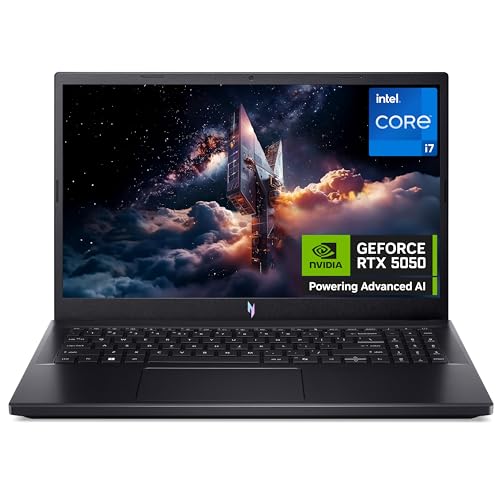
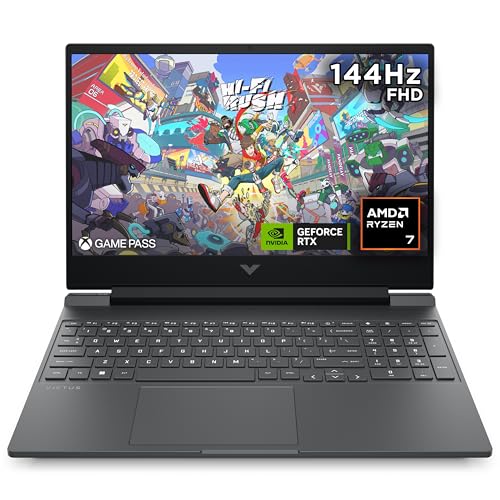
Compared with the HP Victus 15.6 Gaming and Acer Nitro V15 ANV15-52, the MacBook Air is in a completely different buying lane. Those machines are the better fit when gaming performance, dedicated graphics and a more aggressive laptop shape matter; the Air wins when the priority is silence, portability and a premium everyday machine for documents, browsing, calls and media. If gaming or heavy GPU work is central, the Apple model is the wrong branch of the decision tree.
Compare with Compare this model This product stays fixed; add a recommended alternative or search another model in the category.
Compare with
Add a second model to activate the direct comparison.
Recommended models


No products match that filter combination.
Is the Apple MacBook Air 13-inch M4 laptop worth it?
The MacBook Air 13-inch M4 is easiest to recommend for buyers who want a premium, quiet and genuinely portable laptop for everyday work. Its strongest case is the combination of 1.24 kg weight, 16 GB memory, sharp 13.6-inch display, good battery reputation and the kind of responsiveness that makes routine tasks feel effortless. If that is your route, it is a very convincing Apple laptop and worth checking the current offer on. The reservation is the one that matters most: 256 GB of storage and only two Thunderbolt ports keep this firmly in the light-laptop lane. That is fine for office work, study and travel, but it is not the best fit for buyers who want a single machine for large local libraries, lots of wired accessories or gaming-heavy use. For those buyers, a larger Windows alternative or a MacBook Pro makes more sense.
FAQ
Is the MacBook Air 13-inch M4 a good choice for office work and study?
Yes. It is a strong fit for everyday work, study and travel thanks to its light 1.24 kg body, responsive M4 performance and 16 GB memory.
How limiting is the 256 GB storage on the MacBook Air 13-inch M4?
It is fine for lighter use, but it can feel tight if you keep large media libraries or big project folders on the laptop.
Review updated on