Display and format
Refresh rate
User rating
Is it worth it?
If you want a Windows gaming laptop that can handle modern titles without moving into premium pricing territory, this Victus is aimed at that lane. The appeal is the combination of an AMD Ryzen 7 7445H, RTX 4050 graphics, 16 GB of RAM and a 144 Hz 15.6-inch Full HD IPS screen, which gives it enough headroom for games, streaming and everyday work. The trade-off is less flattering for anyone who wants a genuinely portable machine, long unplugged sessions, or a quiet all-rounder first and gaming laptop second.
It makes most sense for a buyer who wants a straightforward gaming clamshell for desk use, with enough memory and storage to avoid feeling cramped straight away. Skip it if battery life away from the charger matters more than performance, or if you need a laptop with a richer port spread and stronger speakers. For the right buyer, though, this is a sensible performance-first route rather than a flashy one.
| Screen size | 15.6 Inches |
|---|---|
| Resolution | 1920 x 1080 pixels |
| Processor | AMD Ryzen 7 7445H |
| RAM | 16 GB |
| Storage | 512 GB |
| Graphics | NVIDIA GeForce RTX 4050 |
Performance route
The Ryzen 7 7445H, RTX 4050 and 16 GB RAM define this as a performance-led laptop rather than a basic Windows machine. That combination gives it enough room for gaming, recording and editing without the spec mix feeling underpowered at the outset.
For a buyer, that matters because it covers the common “one laptop for everything” use case better than a cheaper office model. The limitation is that the value only lands if you actually use the graphics headroom; if your days are mostly documents and streaming, the extra hardware is doing less work for your money.
Screen and layout
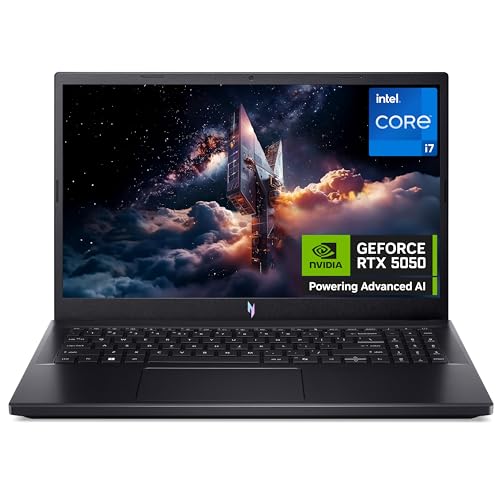
The 15.6-inch 1080p IPS panel with anti-glare coating and 144 Hz refresh is a sensible gaming-and-daily-use combination. It keeps text readable, reduces glare in brighter rooms and gives fast-moving games a smoother feel than a standard office screen.
In practice, the screen size also makes the full-size keyboard and numpad easier to justify. The trade-off is simple: you gain a more comfortable working and gaming surface, but you give up the compact footprint that makes smaller laptops easy to carry.
Ports and connection habits
Confirmed Wi-Fi 6, Bluetooth 5.4 and Ethernet support make the networking side straightforward for home or desk gaming. That is useful when you want a stable online session or a clean wireless setup without immediately reaching for adapters.
The drawback is that the visible port complaint is not trivial for buyers with external drives, headsets and monitors. If your setup depends on lots of plug-ins, this machine suits a more disciplined desk than a constantly expanding one.
Fast charge and battery reality
HP Fast Charge is a welcome convenience because it reduces the pain of short top-ups between sessions. It is the kind of feature that helps when you are moving from work to play and do not want to wait around for a full recharge.
The practical catch is that fast charging does not change the underlying battery class. This is still a laptop that makes the most sense when the charger is part of the plan, not an afterthought.
Use evaluation
Open it on a desk for an evening of gaming and the route is clear quickly: this is built to keep the focus on frame-friendly hardware rather than on lightness or all-day mobility. The RTX 4050, 16 GB of memory and 512 GB SSD give it the sort of baseline that suits modern games, a browser and background apps without instantly feeling boxed in. That makes it a practical pick for someone who wants one machine for play and general use, but it also sets the expectation that this is a charger-first laptop rather than a sofa-and-train companion.
For writing, browsing and video calls, the 15.6-inch Full HD IPS panel is the part you live with most. At this size and resolution, the screen lands at roughly 141 pixels per inch, which is a sensible balance for text clarity and game detail without pushing the GPU harder than necessary. The anti-glare finish helps in bright rooms, and the full-size keyboard with numpad makes spreadsheets, shortcuts and long sessions easier to place into a desk routine. The trade-off is that the chassis footprint and number pad push it firmly into desk territory rather than compact-carry territory.
The strongest practical warning is battery dependence. One visible owner experience puts gaming runtime at about an hour, and that matches the kind of behaviour you expect from a performance laptop with dedicated graphics and fast-charging support rather than marathon unplugged use. That matters more than the marketing gloss: if you need to move between rooms, campus or workspaces without living near a socket, this is the wrong shape of machine. If you keep it anchored to a desk, the performance mix is more convincing than the mobility story.
Daily setup is helped by the useful basics, but the machine is not trying to be generous in every direction. Wi-Fi 6 and Bluetooth 5.4 cover the modern wireless side, while the confirmed Ethernet mention is reassuring for gaming sessions where stability matters more than convenience. At the same time, the visible complaint about limited ports and the reliance on an external SSD for some users is a real buying friction for anyone with multiple peripherals. That turns the Victus into a stronger fit for a tidy, mostly fixed setup than for a desk that constantly swaps accessories.
Pros
- Strong gaming hardware for the money.
- 144 Hz Full HD IPS screen with anti-glare finish.
- Full-size keyboard with numpad suits desk use.
- Ethernet and modern wireless support help stable connectivity.
Cons
- Battery life is poor for unplugged gaming or long moving-around use.
- Port selection feels tight if you rely on several accessories.
- Speakers are not a highlight, so headset use is the safer route.
Community
User reviews
The pattern is clear enough for a buyer to use: people who want gaming performance for the money are pleased, while the main disappointments cluster around battery life, ports and the usual software clutter that comes with a new Windows machine. The lesson is simple enough — the hardware earns the praise, but the day-to-day comfort depends on whether you can live with a desk-bound gaming setup.
Great value! Brilliant in every way! Works so well! Looks great! Great for gaming, can play my favourite game plus use it to record and edit videos for my YouTube channel.
Worth every penny amazing graphic and speed.
Great laptop, however it doesn't have enough ports especially since you'll be relying on an external ssd. Also the speakers are pretty rubbish but most will already have a headset.
Rubbish battery. Only lasts one hour, you have to keep it plugged in when playing games.
Comparison
Against the Acer Nitro V15 ANV15-52, this Victus is the more obvious pick if you want the AMD Ryzen 7 7445H and RTX 4050 combination to do the heavy lifting and you are happy with a 15.6-inch 1080p gaming format. The Nitro V15 sits in the same broad lane, so the decision comes down to which machine gives you the cleaner route for your own desk setup and performance expectations. If your priority is gaming-first value, the Victus has the more direct identity; if you want to compare the lane carefully, the Acer remains the nearest alternative.
The Lenovo IdeaPad Slim 5 is the better reference point if your real need is a more general-purpose laptop rather than a performance-first machine. Its 16-inch 1920 x 1200 screen and Intel Core i7-13620H lean more towards office comfort and mixed use, while this HP is more clearly shaped by the dedicated GPU route. Choose the Lenovo if display space and everyday work matter more; choose the Victus if the graphics card is the point and gaming is the reason to buy.
The Samsung Galaxy Book3 360 with S Pen belongs in a different buying lane altogether, because it is about flexibility and portability rather than gaming hardware. That makes it the better route for note-taking and lighter travel use, while the Victus is the stronger answer when the laptop needs to stay anchored to performance and a conventional clamshell layout. The HP is the one to pick when gaming and desktop-style use outrank versatility.
Is the HP Victus 15.6" Gaming laptop worth it?
This is a good buy for someone who wants a reasonably priced gaming laptop with the right core parts in the right places: Ryzen 7 processing, RTX 4050 graphics, 16 GB RAM, 512 GB SSD storage and a 144 Hz Full HD IPS display. The full-size keyboard, Ethernet support and fast charge all reinforce the same message — it is built for a fixed desk, gaming sessions and mixed everyday use, and that is where the value lands best. If the current offer is close to the rest of the market, this is the kind of configuration that earns its keep quickly. The reservation is just as clear: the battery is weak, the port spread is not generous, and the speakers are not a strong point. That makes it a skip for anyone who wants a quiet, highly mobile laptop or a machine to carry around all day. For buyers who accept charger dependence and want performance first, though, the Victus is the more convincing choice than a thinner all-rounder.
Still, compare HP Victus 15.6" Gaming with close alternatives if warranty, noise, real battery life, or included accessories are decisive for you.
FAQ
Is this a good laptop for gaming at a desk?
Yes, the RTX 4050, Ryzen 7 and 144 Hz screen make it a sensible desk-first gaming machine.
Will it suit frequent travel or long sessions away from power?
No, the battery and charger dependence make it a poor match for long unplugged use.