
Ranking medal
Bronze in Best value
This product is top 3 in a published dynamic ranking.
Ranking medal
This product is top 3 in a published dynamic ranking.
The Samsung Galaxy Book3 (360) with S Pen is aimed at people who want one compact machine to cover work, media and light tablet-style use without carrying a chunky 15-inch laptop. Its strongest hook is easy to see: a 13.3-inch FHD AMOLED touchscreen in a slim aluminium body, plus the flexibility of a 360-degree hinge and included pen input. The clearest trade-off is just as important: this is a portability-first machine, so the smaller screen and mixed battery expectations matter more than the headline i7 badge.
I’d put this in front of commuters, students, note-takers and home-office users who care more about screen quality, touch input and travel-friendly size than raw sustained power. I’d skip it for anyone wanting a roomier display for spreadsheets all day, louder speakers for shared viewing, or a laptop built around long unplugged sessions. The appeal here is convenience and versatility, not brute-force performance or big-screen comfort.
| Screen size | 13.3 Inches |
|---|---|
| Resolution | 1920 x 1080 pixels |
| Processor | Intel Core i7 |
| RAM | 16 GB |
| Storage | 512 GB SSD |
| Ports | HDMI, USB-A, microSD, Thunderbolt 4 |
| Build material | aluminium/aluminum |
| Input features | S Pen |
The 13.3-inch FHD AMOLED display is the centrepiece here, and it changes the feel of the laptop more than the processor badge does.
For films, reading, photo viewing and pen input, the richer contrast and responsive touch make the machine feel more premium than a basic office model. The caveat is that 13.3 inches stays compact, so visual quality is high while workspace remains limited for heavy multitasking.
A slim aluminium laptop often asks you to live through adapters, but this one keeps HDMI, USB-A, microSD and Thunderbolt 4 in the body.
That matters in real use because it cuts friction on desks, in meeting rooms and when moving files from cameras or phones. If you want a small laptop that still plugs into common accessories without a bag full of dongles, this is one of its most practical strengths.
The combination of Intel Core i7, 16 GB RAM, 512 GB SSD and Windows 11 gives this model a straightforward everyday rhythm.
It suits office work, study, web-heavy routines and general home use well, with fast starts and enough memory headroom for comfortable multitasking. It is less convincing as a machine for buyers chasing workstation-class sustained loads, where the compact chassis and portable focus are not the main advantage.
Open it for a normal workday start and the first thing that shapes the experience is the balance between speed and size. With an Intel Core i7, 16 GB RAM and SSD storage, this configuration sits comfortably in the everyday productivity lane for browser tabs, documents, messaging and routine multitasking, and the quick wake-up behaviour mentioned by owners fits that picture. The compact 13.3-inch panel keeps the footprint easy to live with on a small desk or train table, but it also means less breathing room when you are juggling wide spreadsheets or multiple windows side by side.
Move into writing and viewing, and the display becomes the reason to choose this model over a plain office laptop. At 1920 x 1080 on 13.3 inches, pixel density works out at roughly 166 ppi, which is sharp enough for text to look crisp at normal laptop distance without scaling becoming awkward. The AMOLED panel’s strong colour and contrast make films, photos and general interface elements look richer than they do on many standard IPS machines, while touch support and the 360 hinge add a more relaxed tablet or tent-mode route for reading, sketching and annotation with the S Pen. The trade-off is simple: the same compact screen that looks vivid can still feel cramped if your day is dominated by dense timelines, large sheets or split-screen admin.
For calls and media, this laptop covers the essentials with fewer extras than the marketing tone suggests. The wide-angle camera, dual-array mics and AI call features give it a practical work-from-home shape, and setup looks straightforward enough that getting into Windows 11 and daily apps should not be a chore. Audio is the weaker point in the package: the dual speakers with Dolby Atmos are described as clear enough for normal use, but volume is not a strength, so films in a noisy room and speaker-led calls can leave you reaching for headphones.
Take it out of the house and the route becomes clearer. The thin aluminium design and repeated comments about being light make this an easy laptop to carry, and the built-in port mix is unusually helpful for a compact machine because HDMI, USB-A, microSD and Thunderbolt 4 reduce dongle dependence. That is a real day-to-day win for travel, classrooms and hot-desk setups. Battery life is the caution that stops this becoming a no-compromise mobile pick: some owners are happy, but others wanted more, so it fits best when portability matters more than all-day distance from a charger.
Community
The recurring picture is easy to read: people warm to the bright screen, slim build, responsive touch and easy setup, while the main complaints circle around battery stamina, occasional software frustration and speaker volume that can feel too restrained.
Super happy I bought it because the metallic build feels thin and beautiful, the screen is bright, the touch is very responsive and setup was easy.
I started out sceptical, but after using it for complex tasks and calculations I found it efficient, light to carry for travel and able to last well on battery, even if not perfectly.
The touch works well and the laptop runs fine, but the 13.3-inch screen feels a bit small. For the money I paid it felt like good value, with an okay camera, good sound and easy setup.
I liked the design, the tablet mode, the audio and the keyboard, but software behaviour was frustrating because downloads did not always work smoothly and some tasks felt slow to complete.
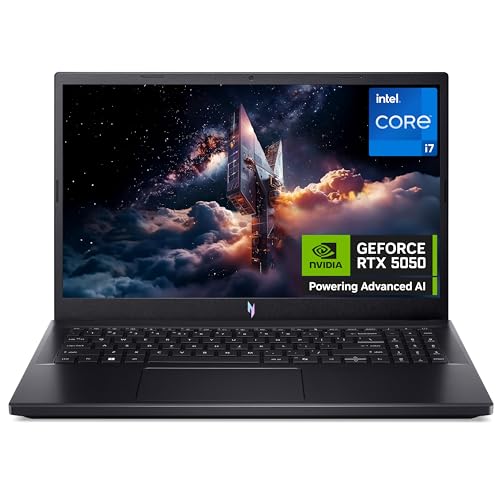
| Attribute | Samsung Galaxy Book3 with S Pen Current | Acer Nitro V15 ANV15-52 | HP 15-fd0072sa | Dell Inspiron 15 3530 |
|---|---|---|---|---|
| Price | £968.16 | £949.99 | Out of stock | Out of stock |
| Screen size | 13.3 Inches | 15.6 inches | 15.6 Inches | 15.6 inches |
| Resolution | 1920 x 1080 pixels | 1920 x 1080 pixels | 1920 x 1080 | 1920 x 1080 |
| Processor | Intel Core i7 | Intel Core i7-13620H | Intel Core i5-1334U | 13th Generation Intel Core i5-1334U |
| RAM | 16 GB | 16 GB | 16 GB | 16 GB DDR4 |
| Storage | 512 GB SSD | 512 GB SSD | 512 GB SSD | 512 GB M.2 PCIe NVMe SSD |
| Ports | HDMI, USB-A, microSD, Thunderbolt 4 | - | - | HDMI 1.4, SD card reader, USB-C data, USB-A and 3.5mm audio |
| Editorial score | 8.3/10 | 8.1/10 | 7.2/10 | 7.4/10 |
Against a classic thin-and-light clamshell such as a Dell XPS 13 or MacBook Air, the Galaxy Book3 360 stands out if touch input, tablet mode and pen use are part of the reason you are buying. It also gives you a friendlier port mix than many ultra-compact rivals. Choose the Samsung route if flexibility and display character matter most; choose the more traditional clamshell route if you mainly want a rigid typing-first laptop with fewer compromises around battery consistency or speaker output.
Compared with a mainstream 15-inch home or study laptop, this Samsung feels more refined and more portable, and the AMOLED panel is a clear quality upgrade for films and general viewing. The larger alternative still makes more sense for buyers who live in spreadsheets, keep several windows open all day or simply want a bigger canvas for less money. This model wins on mobility and versatility, not on screen area or maximum comfort for desk-bound work.
Compare with
Add a second model to activate the direct comparison.


No products match that filter combination.
The Samsung Galaxy Book3 (360) with S Pen is at its best as a compact premium-feeling laptop for people who want a vivid screen, touch input, pen flexibility and a travel-friendly body without giving up practical ports. For note-taking, office work, web use, streaming and mixed laptop-tablet habits, it makes a convincing case, especially if the current offer brings it closer to mainstream premium-laptop pricing.
It becomes a weaker buy if your priority is a larger workspace, stronger speakers or battery confidence for long days away from the mains. My verdict is simple: choose it for portability, AMOLED quality and 2-in-1 convenience; skip it if you need a more straightforward workhorse with fewer compromises around endurance and small-screen comfort.
Yes, the slim build, light carry-friendly design and strong port selection make it well suited to working on the move, though frequent long days away from a charger are not its strongest use case.
It is sharp and vibrant for writing, browsing, calls and media, but if your routine depends on large spreadsheets, side-by-side windows or detailed timelines, a bigger laptop is the better fit.
Review published on

