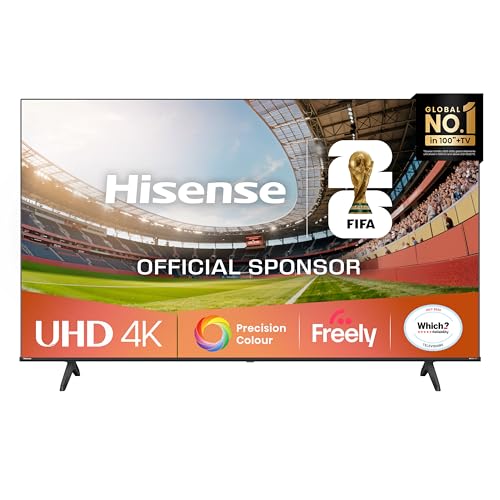
Screen size
55 in
Screen size
Is the 55E6STUK a sensible main-room TV, or does its gaming and cinema branding promise more than its 60Hz LED panel can deliver? Its 4K picture, Dolby Vision and Freely make it a practical streaming-and-broadcast option, while VRR and ALLM add useful console features. The trade-off is that 60Hz remains the ceiling: this is not the route for high-refresh gaming or premium dark-room cinema.
Choose it for everyday viewing, streaming and casual console play, especially if you value Freely alongside Netflix, Disney+ and YouTube. Skip it if deep-black movie performance, a high-refresh panel or a particular smart-TV app is essential; the app range and built-in sound are the more important everyday compromises.
| Screen size | 55 inches |
|---|---|
| Panel type | LED |
| Resolution | 4K |
| Refresh rate | 60Hz |
| Dimensions | 122.6 × 76.8 × 27.4 cm |
The 4K LED panel supports detailed viewing, and Dolby Vision adds a recognised HDR format for compatible films and programmes.
It is a sensible everyday picture package, but it does not make this a premium dark-room display.
Game Mode Plus includes VRR and ALLM, helping the TV adapt to compatible console play.
The 60Hz refresh rate remains the limit, so choose a faster panel if high-refresh gaming is central to the setup.
Freely sits alongside Netflix, Disney+ and YouTube, bringing live viewing and major streaming services together.
App availability is not universal, though: one owner could not find the service they wanted and noted there was no Google Play Store, making this a poor fit if a specific app is non-negotiable.
For evening films in a dim room, Dolby Vision and 4K give you a clear route to detailed streaming, but this is still an LED television rather than an OLED or QLED set. That distinction matters when dark scenes are on screen: buyers seeking exceptionally deep blacks and striking HDR highlights are better served by a higher-end cinema-focused panel.
When a console is connected for a quick session, Game Mode Plus brings VRR and ALLM to the 60Hz panel. Those features are useful for casual play, but they do not turn it into a 120Hz gaming screen; players prioritising high-refresh action should look elsewhere.
For daytime family viewing, the 55-inch screen and built-in Freely, Netflix, Disney+ and YouTube cover a useful mix of live and streamed entertainment. The 4K resolution across 55 inches works out at about 80 pixels per inch, a practical level of detail for typical sofa viewing; the listing gives no viewing-angle or brightness figure, so this is not a strong choice if wide-seating performance or bright-room punch is your deciding factor.
During setup, the supplied stand, remote, power cable and quick-start guide cover the basics, and the dimensions help with planning the space. One buyer found setup straightforward, while another found fitting the feet a faff; the TV was also described as light and easy to wall-mount with a bracket. The sound is less settled: one 55-inch owner praised it, while a 43-inch owner found it enclosed and wanted a soundbar, so audio expectations deserve more caution than the picture.
Community
Picture quality, straightforward setup and value are the recurring attractions, while app availability and sound are the practical checks that can change satisfaction. The useful lesson is to match the TV to the services you actually watch and not assume its speakers will suit every room.
My 43-inch set was light and easy to wall-mount with a bracket.
the picture and sound impressed me, and setup was quick. (The reviewer reports setup in less than five minutes.).
My 50-inch TV has a great picture, was easy to set up, and is very light and thin.
| Attribute | Hisense 55E6STUK Current | TCL V6D | Hisense 43E6QTUK | Hisense 55E6QTUK |
|---|---|---|---|---|
| Price | £389.00 | £349.00 | Out of stock | £319.00 |
| Screen size | 55 inches | 55 inches | - | 55 inches |
| Resolution | 4K | 4K | 4K | 4K |
| Panel type | LED | LED | - | LED |
| Refresh rate | 60Hz | 60 Hz | - | 60Hz |
| Dimensions | 122.6 × 76.8 × 27.4 cm | - | 22.2D x 96.3W x 60.8H centimetres | - |
| Editorial score | 7.4/10 | 7.4/10 | 7.8/10 | 7.7/10 |
Against the TCL V6D, the Hisense shares the known 55-inch LED, 4K and 60Hz profile. Choose between them on the smart services and features you need rather than expecting a higher refresh rate from either; the Hisense’s stated draw is Freely alongside named streaming apps and Dolby Vision.
The Hisense 43E78QTUK PRO is the clearer alternative for buyers prioritising gaming speed: its stated 144Hz QLED profile is a different performance tier, though it is a 43-inch model rather than this 55-inch set. The Samsung Q7F2 offers a 50-inch QLED, 4K screen at 50Hz; it suits buyers considering QLED instead of a larger 60Hz LED, while neither known profile makes it the high-refresh choice.
Compare with
Add a second model to activate the direct comparison.
No products match that filter combination.
The Hisense 55E6STUK makes most sense as a 55-inch everyday TV for Freely, streaming and casual gaming. Its 4K picture, Dolby Vision and VRR/ALLM cover useful basics; check the current offer against similarly sized LED alternatives. Skip it if high-refresh console play, premium dark-room contrast, a specific hard-to-find app or consistently strong built-in sound is essential. For those priorities, a faster gaming set, a higher-end cinema panel or a more suitable app platform is the better route.
Review published on