
Price
£100-£200
Price
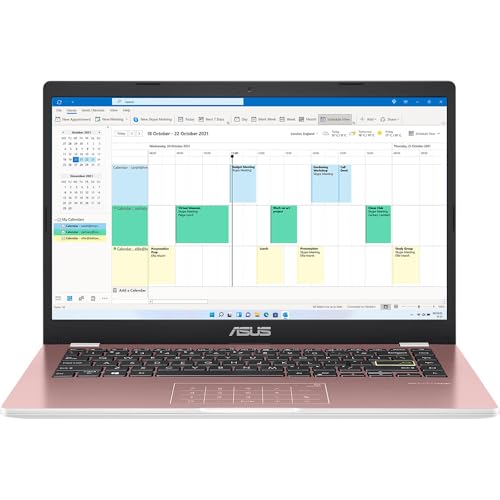
The ASUS Chromebook 14 CX1405CTA is aimed squarely at schoolwork, home browsing and simple day-to-day admin, where a light 1.39 kg chassis, a 14-inch Full HD screen and ChromeOS matter more than raw power. Its appeal is easy to understand if you want a sensible, lower-cost machine for documents, web apps and streaming, but the trade-off is just as clear: 4GB of RAM and 64GB of eMMC storage keep it in the basic-use lane.
I’d put this on the shortlist for students, families and anyone who wants a straightforward laptop for Google services, web-based Microsoft 365 work and general home use without carrying much weight. I’d skip it if your routine depends on heavier multitasking, large local files or Windows desktop software, because this model wins on simplicity and portability rather than headroom.
| Screen size | 14 inches |
|---|---|
| Resolution | 1920 x 1080 |
| Processor | Intel Celeron N50 |
| RAM | 4 GB |
| Storage | 64 GB eMMC |
| Weight | 1.39 kg |
A 14-inch display at 1920 x 1080 is a real advantage in this class because text, browser pages and school portals have more breathing room than on many entry-level 14-inch laptops.
That matters more than headline glamour. If most of your day is documents, revision sites, email and streaming, the sharper panel is one of the upgrades you will notice every time you open the lid.
HDMI, USB 3.2 Gen 1 Type-C, USB 3.2 Gen 1 Type-A and a 3.5 mm combo jack give this Chromebook a more practical connection set than many low-cost rivals.
In daily use, that means easier monitor hookup at a desk and fewer adapter purchases. If you regularly switch between school, home and a TV or external display, this saves hassle straight away.
At 1.39 kg, this is light enough to carry without it becoming a burden, and the 180° hinge adds some flexibility for shared viewing or awkward desk positions.
The bigger point is fit. This laptop works best when your routine is browser-led, cloud-based and mobile. If your files and apps live mainly online, the modest memory and eMMC storage are far less of a problem than they would be on a traditional Windows laptop.
Open it for a normal school or home-working start and the shape of this Chromebook becomes obvious very quickly. ChromeOS keeps the setup route simple, the machine is built around Google account sign-in, and the inclusion of HDMI plus USB-C and USB-A means you are not immediately hunting for adapters just to plug into a monitor or memory stick. For a budget Chromebook, that matters more than flashy internals because it removes friction from the first hour.
Once you settle into writing, browsing and reading, the 14-inch Full HD panel is one of the better reasons to choose this model over cheaper HD alternatives. At this size, 1920 x 1080 gives a sharper desktop for documents and school portals, and the narrow-bezel design helps the screen feel usefully spacious without making the laptop bulky. The 180° hinge also makes casual table sharing easier. The compromise is that this is still a basic Chromebook, so the screen helps comfort more than it changes the performance ceiling.
Move into a day of tabs, homework platforms, email and video streaming, and the 4GB RAM plus 64GB eMMC combination sets the boundaries. This is comfortable for light workloads and cloud-first use, but it is not the machine for keeping lots of heavy browser sessions, Android apps and large downloads all competing at once. That limitation is balanced by the low carry weight, which makes room-to-room use, commuting and school bag duty much easier than with a chunkier budget laptop.
For media and general family use, the picture route is stronger than the audio route. One owner described the sound and image quality as adequate, which matches the role here: streaming, YouTube and school presentations are well within scope, but this is not positioned as a premium entertainment machine. Battery comments are encouraging rather than spectacular, with repeated praise for holding charge well, so the practical result is a laptop that suits a day of light use better than a performance-heavy afternoon away from the charger.
Community
The recurring pattern is very consistent: people buy this for school, homework, simple home use and value, then come away happy with the easy setup, light feel and sensible price level. The practical lesson is that it lands well when expectations are realistic and the workload stays basic.
I bought it for my daughter’s school use and it felt like a sensible price. It also looks good.
I gave this as a Christmas present for homework tasks. The keys feel strong, it is easy to type on, the sound and image are adequate, and the battery lasts a long time.
I got this for my 9-year-old and she could log into school and see all her apps and presentations.
I like the colour, it is quick and easy to use, and nice and light.
| Attribute | ASUS Chromebook 14 CX1405CTA Current | ASUS Vivobook 14 E410KA | ASUS Chromebook 15 CX1505CTA | Lenovo IdeaPad Slim 3 14IAN8 |
|---|---|---|---|---|
| Price | £159.89 | Out of stock | £199.00 | Out of stock |
| Screen size | 14 inches | 14 inches | 15.6 in | 14 inches |
| Resolution | 1920 x 1080 | 1920 x 1080 | 1920 x 1080 pixels | 1920 x 1080 pixels |
| Processor | Intel Celeron N50 | Intel Celeron N4500 | Intel N50 | Intel Processor N100 |
| RAM | 4 GB | 4 GB | 4 GB | 4 GB |
| Storage | 64 GB eMMC | 128 GB eMMC | 64 GB eMMC | 128 GB SSD |
| Weight | 1.39 kg | 1.3 kg | - | - |
| Editorial score | 6.8/10 | 6.6/10 | 6.6/10 | 6.7/10 |
Against the HP Chromebook 14" 14a-nf0002sa, this ASUS takes the more display-focused route. Both give you a 14-inch screen and 4GB of RAM, but the ASUS pairs that with Full HD rather than 1366 x 768, and that is the difference you feel in everyday reading and schoolwork. Choose the ASUS if screen sharpness, lower weight and HDMI matter more to you. Choose the HP if you prefer the alternative Intel N100 route and are comfortable trading away resolution.
The broader alternative is not another Chromebook at all, but a cheap Windows laptop. That route makes more sense if you need traditional desktop software, larger local storage or a more familiar file-based workflow. The ASUS is the better buy when your life already runs through Chrome, Google Workspace, web apps and streaming, because it stays lighter, simpler and less fussy. If your routine depends on installing full desktop programs, a basic Windows machine is the clearer fit even if it gives up some portability or screen quality at this level.
Compare with
Add a second model to activate the direct comparison.



No products match that filter combination.
The ASUS Chromebook 14 CX1405CTA gets the important basics right for its audience. It is light, easy to live with, has a sharper screen than many budget rivals, and includes genuinely useful ports for a low-cost laptop. If you want a dependable school or home Chromebook and the current offer is competitive, it is an easy model to understand and recommend.
The reason to walk past it is simple: this is not a machine for heavy multitasking, offline storage needs or traditional PC software. If your workload is bigger than browser tabs, documents, streaming and school platforms, the low memory and eMMC storage become the limiting factor quickly. For basic ChromeOS use it is a strong fit, but for anything more ambitious there are clearer routes.
Yes. The combination of ChromeOS, a 14-inch Full HD screen, light weight and easy sign-in makes it a strong fit for homework, school platforms, documents and web research.
It works with Microsoft 365 through the browser for Word, Excel and PowerPoint files, but it does not take the desktop Windows versions.
Review published on


