
Hakaug Android 13 Tablet - Review and opinions


Quick verdict
The Hakaug Android 13 is for buyers who want a cheap 10-inch tablet for streaming, reading, web browsing and light family use, not for anyone expecting a serious work device. What makes it worth a closer look is the combination of a roomy IPS display, 64GB of storage with microSD expansion up to 1TB, Android 13 Go and a battery story that points to relaxed everyday use. The catch is straightforward: this is a value tablet first, so speed and responsiveness are the main compromises.
That makes it a sensible pick as a budget media tablet or a simple household screen for films, homework apps and travel viewing. It is a much better fit if you are replacing an old basic tablet than if you want an iPad-style experience or a proper study-and-productivity machine. If slowdowns, touch lag or occasional app instability would frustrate you, it is wiser to look higher up the market.
| Screen size | 10 inches |
|---|---|
| Resolution | 1280 x 800 pixels |
| Chipset | Quad Core |
| RAM | 6GB |
| Storage | 64GB |
| Battery | 5000mAh |
Display built for casual viewing
The 10-inch IPS panel and 1280 x 800 resolution are aimed at comfortable viewing rather than crisp detail. That makes sense if you want a bigger screen for streaming, browsing and children’s apps, where ease of viewing matters more than fine text rendering.
In practice, films and YouTube benefit most, while long reading sessions and close-up document work feel more basic than they would on a sharper tablet.
Expandable storage helps the value case
With 64GB built in and microSD expansion up to 1TB, this tablet gives you room to grow without forcing a bigger upfront spend. That is useful when downloaded shows, photos, school files and simple games can eat through storage faster than expected.
The main advantage is flexibility: you can start with the internal memory and add space later if your needs increase, which keeps the purchase easier to justify as a budget option.
A media-first Android tablet
Android 13 Go, a quad-core processor, dual speakers and 5MP front and 8MP rear cameras put this squarely in the everyday-use category. It is set up for video calls, light apps, streaming and casual browsing, not for replacing a laptop or handling demanding workloads.
That makes it a sensible buy if you mainly want entertainment and simple household tasks. If you expect stylus input, keyboard-led productivity or heavy multitasking, the limits will show quickly and you should look higher up the range.
Performance and experience
On the sofa with Netflix, YouTube or catch-up TV, this tablet settles into its clearest role. The 10-inch 16:10 display gives video a roomy shape, and at 1280 x 800 on this size it works best at normal viewing distance rather than for close reading. Brightness and picture quality do enough to make films, cartoons and casual browsing feel like the right use for it.
Once you start moving between several apps, the budget nature shows through. Android 13 Go and 6GB RAM are fine for light daily tasks, but this is not a tablet that handles heavier multitasking with much grace. If your routine stays with one or two apps at a time, it remains easy enough to live with; if you want quick tab-hopping, gaming bursts and rapid app switching, the limits arrive fast.
For travel and around-the-house use, the 5000mAh battery and quoted 8-hour life place it in the light-use, all-day bracket rather than the long-haul class. That is enough for browsing, streaming and homework sessions without making the charger feel like a constant companion. The silver finish and slim body also suit a tablet that can be passed around the house or packed for a trip without much fuss.
The main caution is pace under pressure. A value tablet can be slower than a phone and still make sense, but here that slower response is part of the ownership experience. If the job is mainly video for a child, a spare family screen or simple media on the move, the compromise is manageable. If this needs to act as your main device for work, study notes or demanding apps, the friction becomes hard to ignore.
Pros
- Good value route for streaming and casual use
- 10-inch IPS screen is a genuine strength at this level
- 64GB storage plus up to 1TB microSD expansion adds flexibility
- Easy fit for simple family, travel or kids duties.
Cons
- Performance is inconsistent and can feel laggy
- 1280 x 800 resolution is serviceable rather than sharp by current tablet standards
- Not a convincing choice for heavy multitasking or laptop-style study use
- Reliability confidence is only moderate given the mixed long-term feedback.
Community
User reviews
The pattern is consistent: people like the screen, battery and low-cost appeal, especially for streaming and family use, but performance splits opinion. The practical lesson is that this tablet works best when bought as a cheap big-screen companion, not as a fast all-rounder.
I was genuinely impressed by how modern and lightweight it felt, and for streaming, browsing and light work it gave me much more than I expected from a budget tablet.
I found it really laggy, and that alone ruined the experience for me.
It is slower than a cellphone, but the display quality, brightness and contrast were satisfying for the money.
It has been fine for streaming shows while travelling, but it can be slow and the touch response sometimes lets it down.
Comparison
| Attribute | Hakaug Android 13 Current | Hakaug 10.1 inch | Raemond K30 | Samsung Galaxy Tab A11 |
|---|---|---|---|---|
| Price | Out of stock | - | £89.99 | - |
| Screen size | 10 inches | 10 Inches | 10.1 inches | - |
| Resolution | 1280 x 800 pixels | 1280*800 | 1280 x 800 pixels | - |
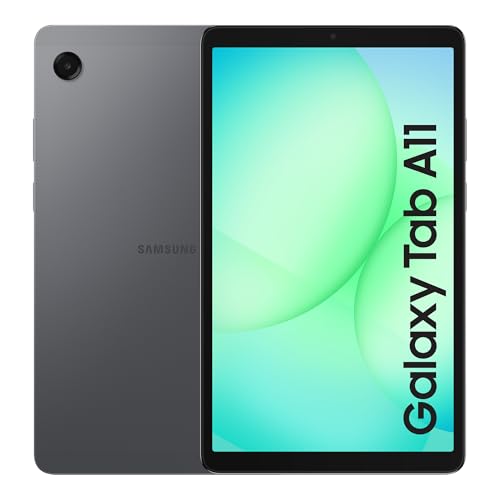
| RAM | 6GB | 20 GB | 6 GB installed, 18 GB stated with memory expansion | 4 GB |
| Storage | 64GB | 64 GB | 128 GB | - |
| Battery | 5000mAh | 5 Hours | 6000 mAh | - |
| Editorial score | 5.3/10 | 5.6/10 | 5.9/10 | 6.3/10 |
Against an entry iPad or a Samsung Galaxy Tab A-series style alternative, the Hakaug makes its case with low-cost screen space and expandable storage rather than polish. Choose this if your priority is affordable streaming, casual browsing and basic household use. Choose the better-known tablet route if you care more about smoother performance, stronger app stability and a more dependable long-term experience.
Compared with a smaller 8-inch budget tablet, this one is easier to enjoy for films, school videos and split household use because the 10-inch panel gives content more breathing room. The trade-off is that it still behaves like a value tablet, not a productivity tool. If you want a cheap second screen for home or travel, the larger format helps. If you want one tablet to do everything well, spending more is the smarter route.
Compare with Compare this model This product stays fixed; add a recommended alternative or search another model in the category.
Compare with
Add a second model to activate the direct comparison.
Recommended models



No products match that filter combination.
Is the Hakaug Android 13 tablet worth it?
Buy the Hakaug Android 13 only if you want a cheap 10-inch tablet for streaming, browsing, children’s use, travel and other low-pressure household tasks. That is where its roomy screen, expandable storage and Android 13 Go setup make sense, because the tablet’s value comes from being an easy big-screen companion rather than a polished all-rounder. The trade-off that most changes the decision is speed: if you can live with occasional lag and basic responsiveness, it is a reasonable budget buy; if you expect smooth, phone-like fluidity, it is the wrong tier.
Skip it if you need a tablet for study, work, heavy multitasking or anything that will punish slow app switching and touch response. The practical limit is not just that it can feel laggy, but that the lag becomes part of everyday use once you move beyond simple media. For buyers who mainly want relaxed video and light family use, the compromise is acceptable; for anyone who will be frustrated by delays, a better-known step-up model is the safer choice.
FAQ
Is this tablet mainly for media or for work?
It is mainly a media and basic-use tablet, best suited to streaming, browsing, reading and simple apps rather than demanding work.
Is the storage enough for everyday use?
The built-in 64GB is workable for light use, and the microSD expansion up to 1TB is one of the most useful reasons to choose it.
Review published on